Synonyms
Synonyms let the AI recognize different phrasings users might use for the same columns or values, improving question interpretation and intent matching.
Steps to initiate synonyms
- Add synonyms for a column and its values by selecting Add Synonyms for that column in the datasource editor.
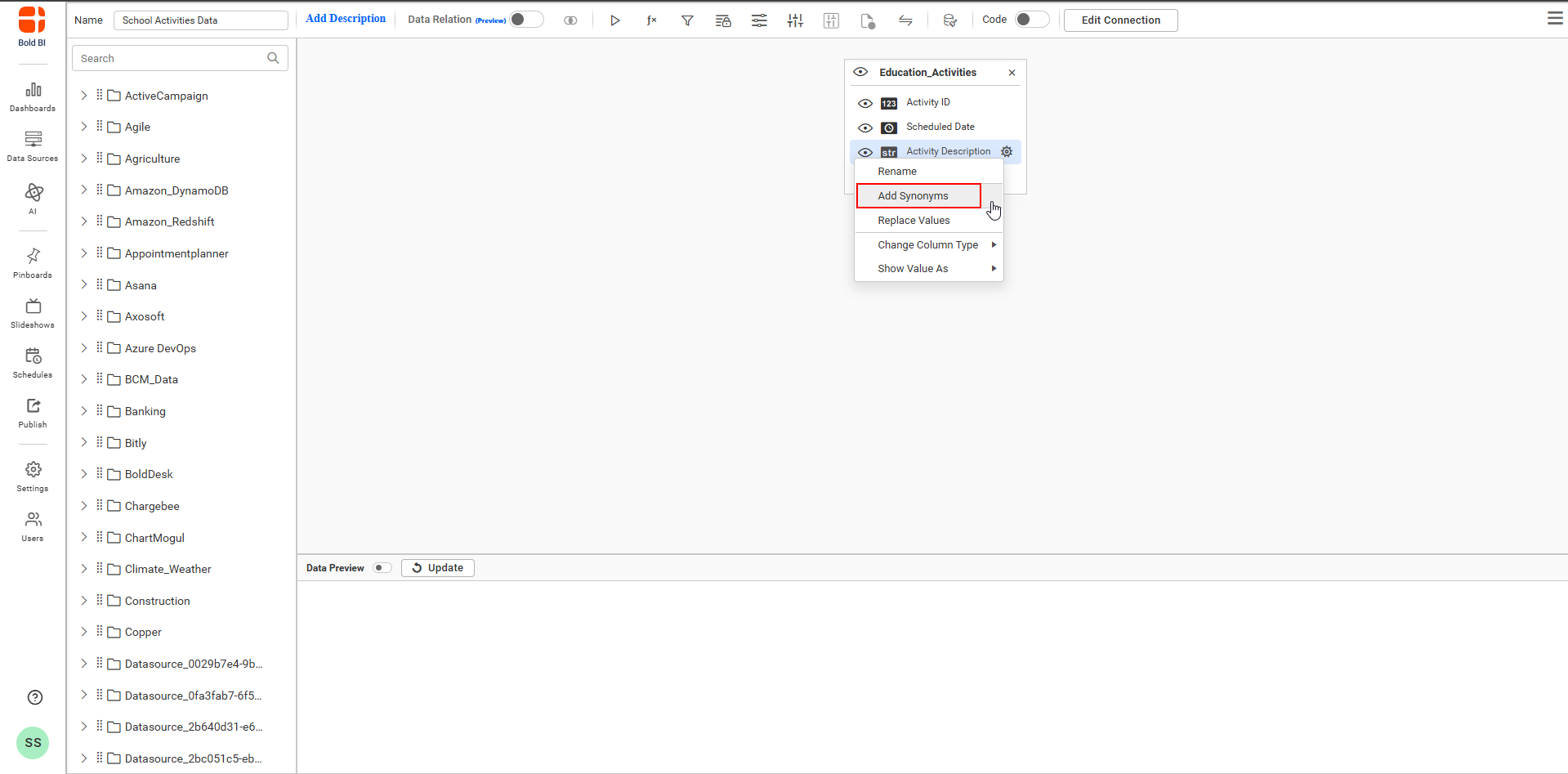
- After clicking, synonyms addition dialog will appear.
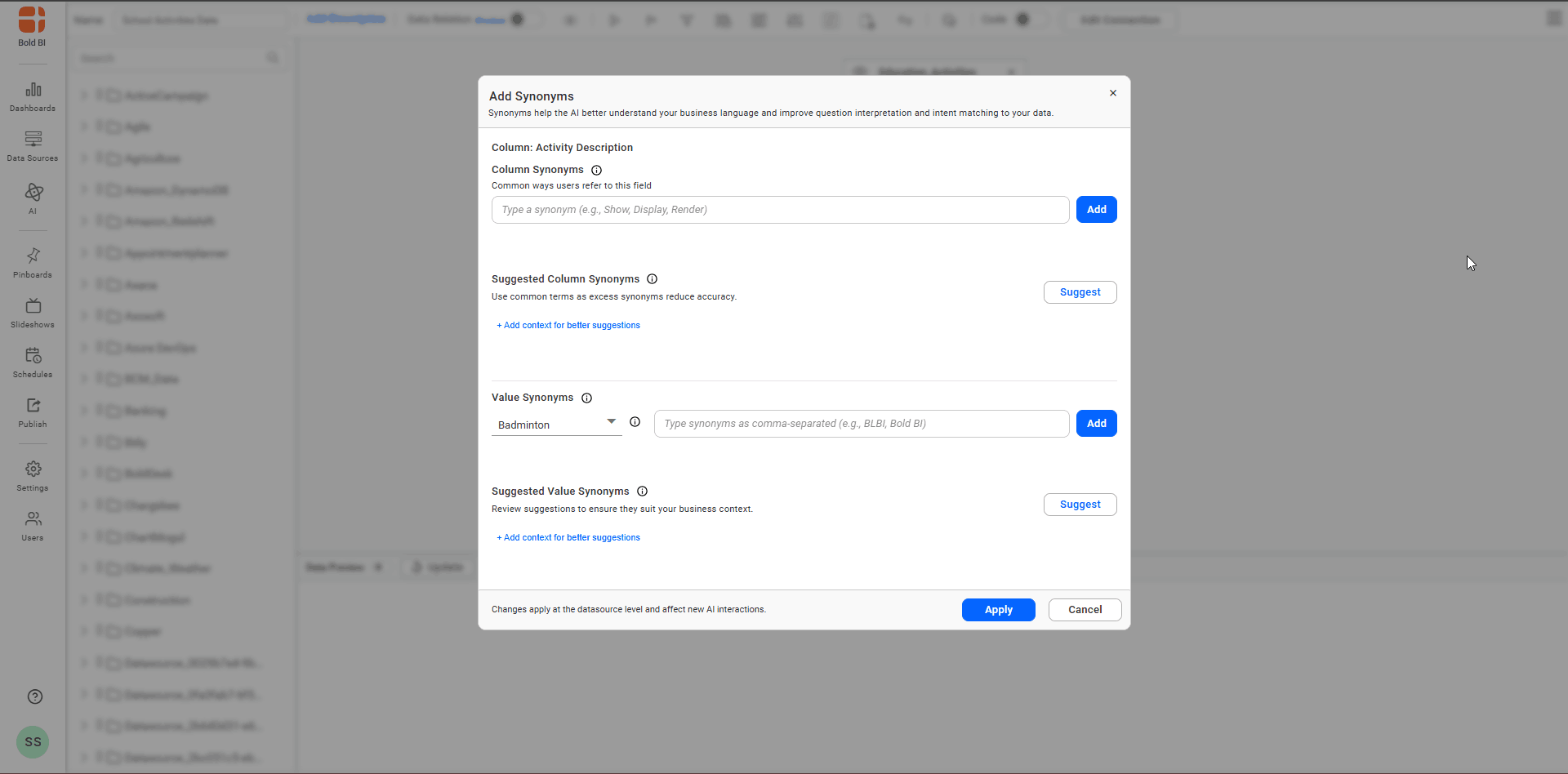
Column Synonyms
Column Synonyms are alternate names or short phrases users commonly use to refer to a column. They help the AI map varied terminology to the correct field.
Steps to add Column Synonyms
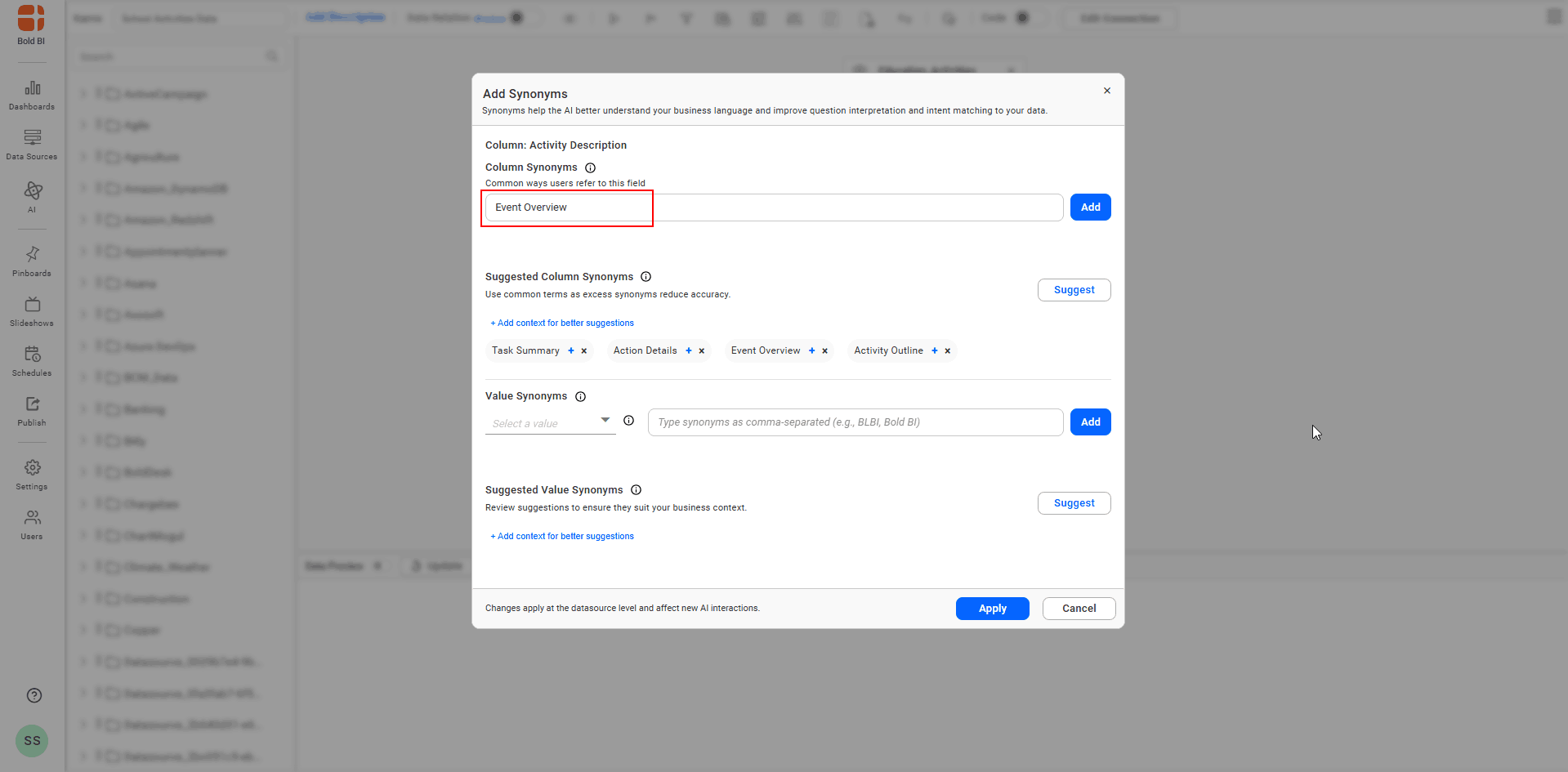
- Enter common variants, abbreviations, or business-specific terms to improve matching and click Add to apply.
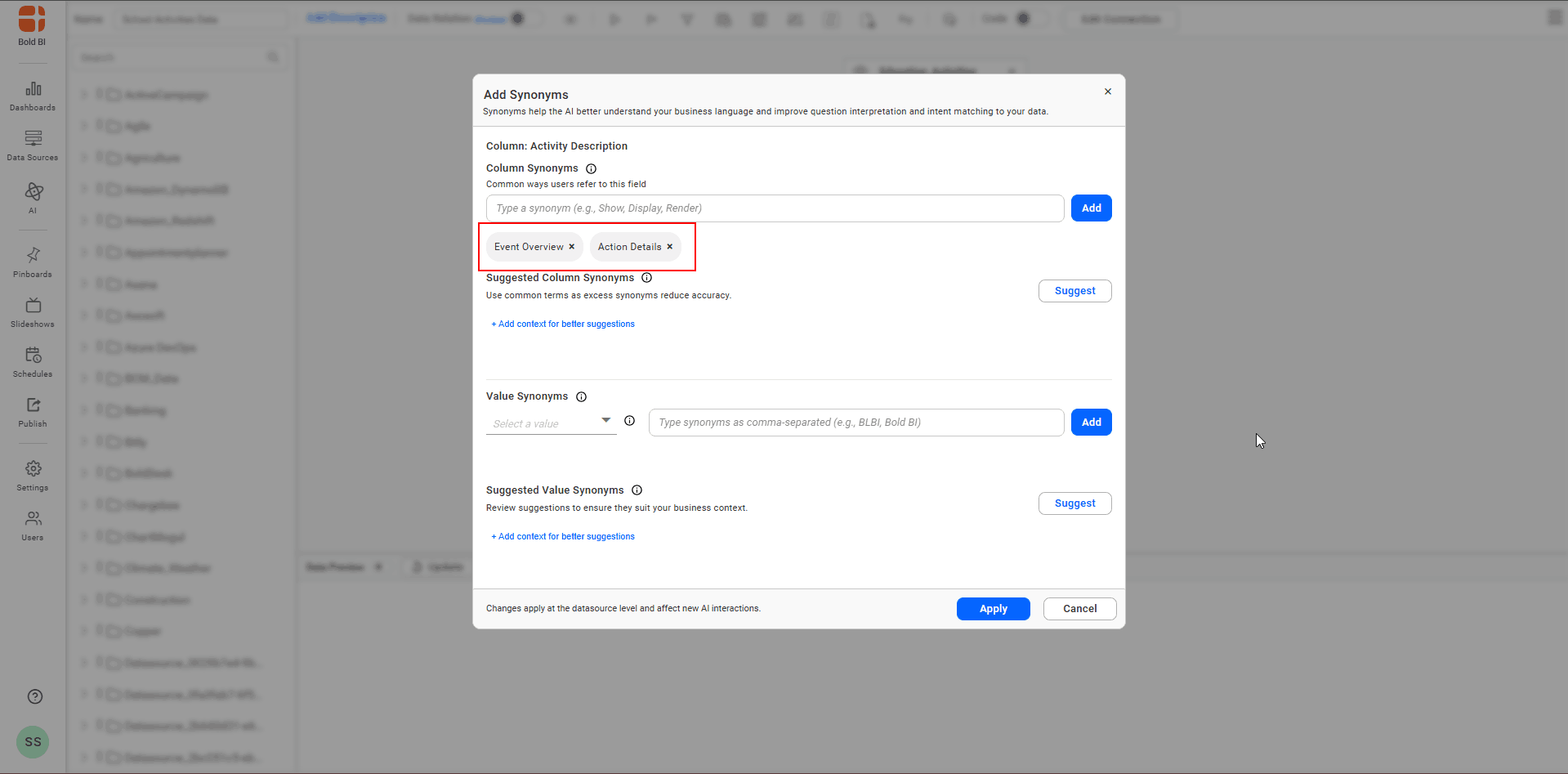
- Added column synonyms are shown beneath the input for that column.
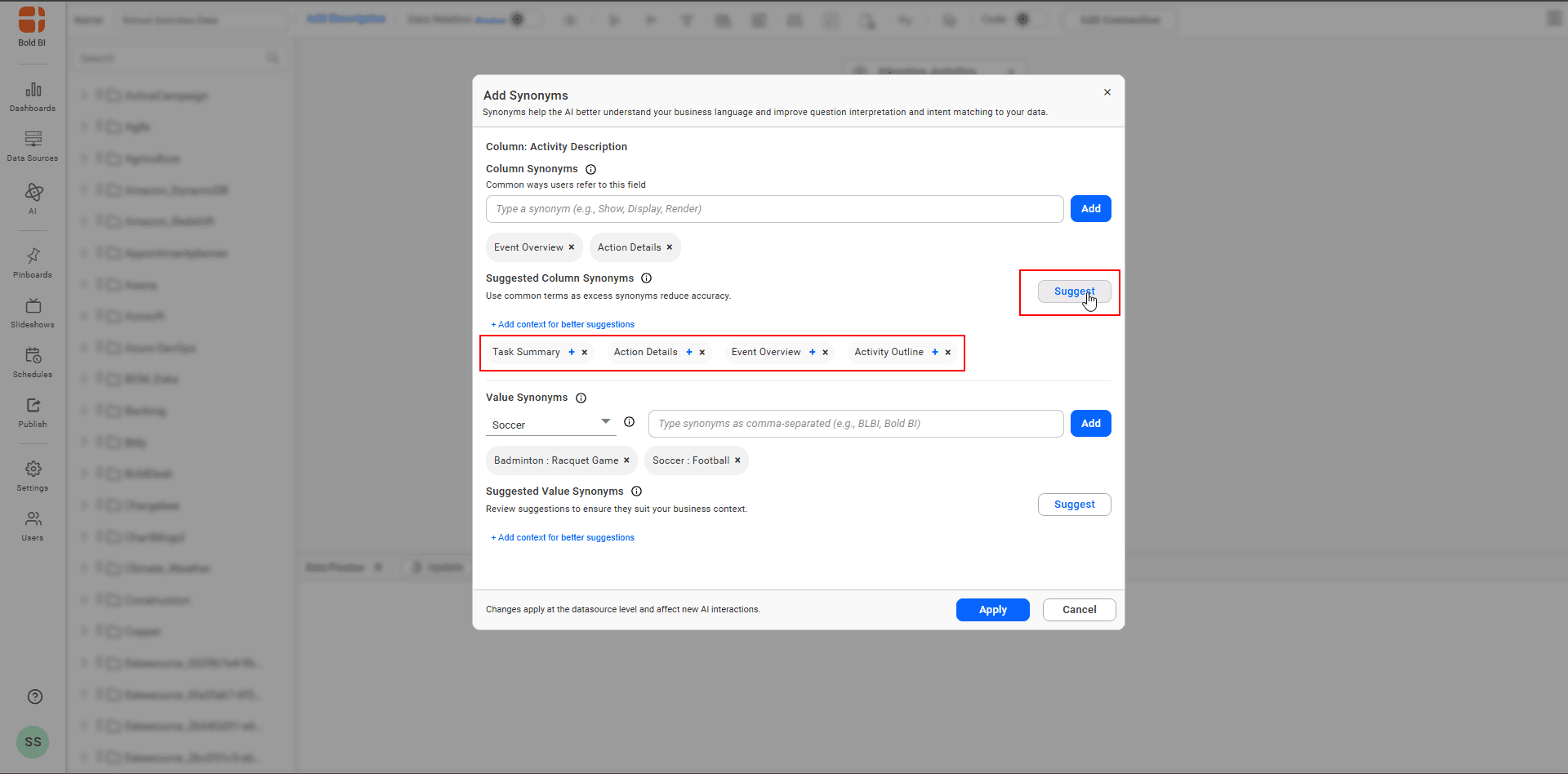
Column Synonyms Suggestions
The system can generate suggested column synonyms from your data and context; you may accept, edit, or reject these suggestions.
How to get column synonyms suggestions
- Click Suggest to view generated candidates and review them before applying.
Value Synonyms
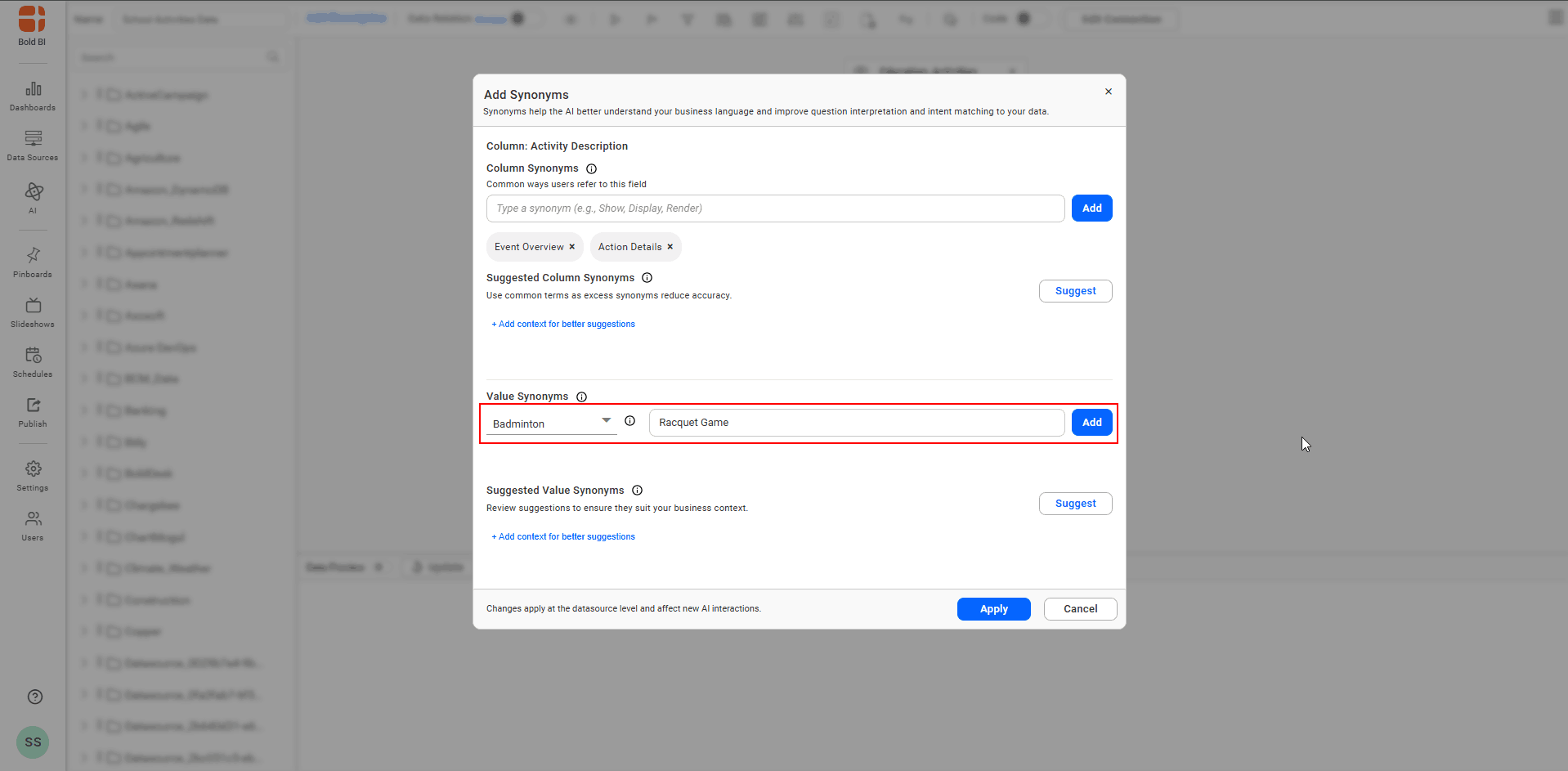
Value Synonyms are alternate names or phrases for specific values within a column, ensuring the AI recognizes different ways users refer to the same value.
Steps to add Column Synonyms
- Choose a value from the list or type a value manually, then enter synonyms to improve matching and click add to apply.
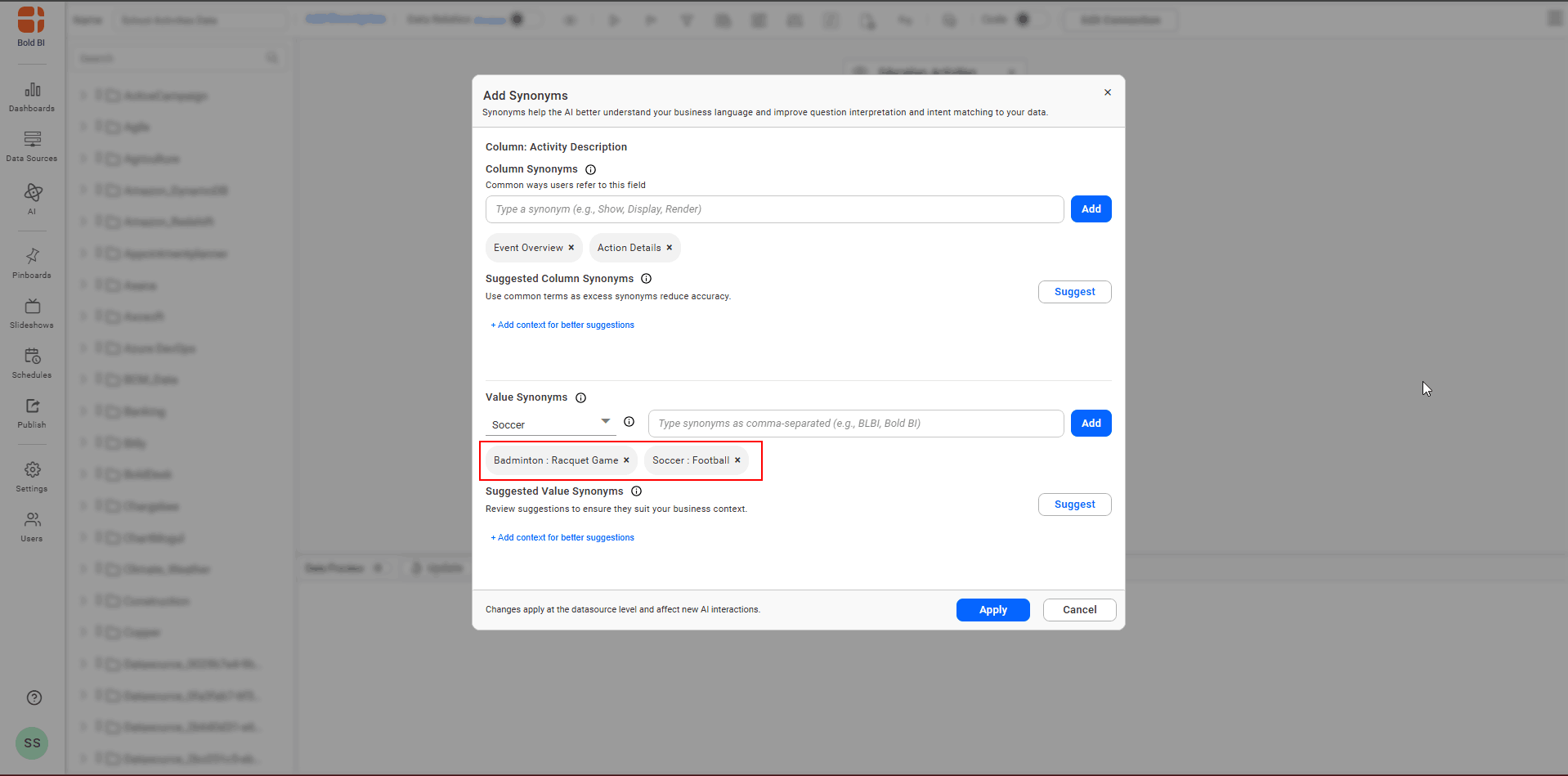
- Added value synonyms are shown beneath the input for that value.
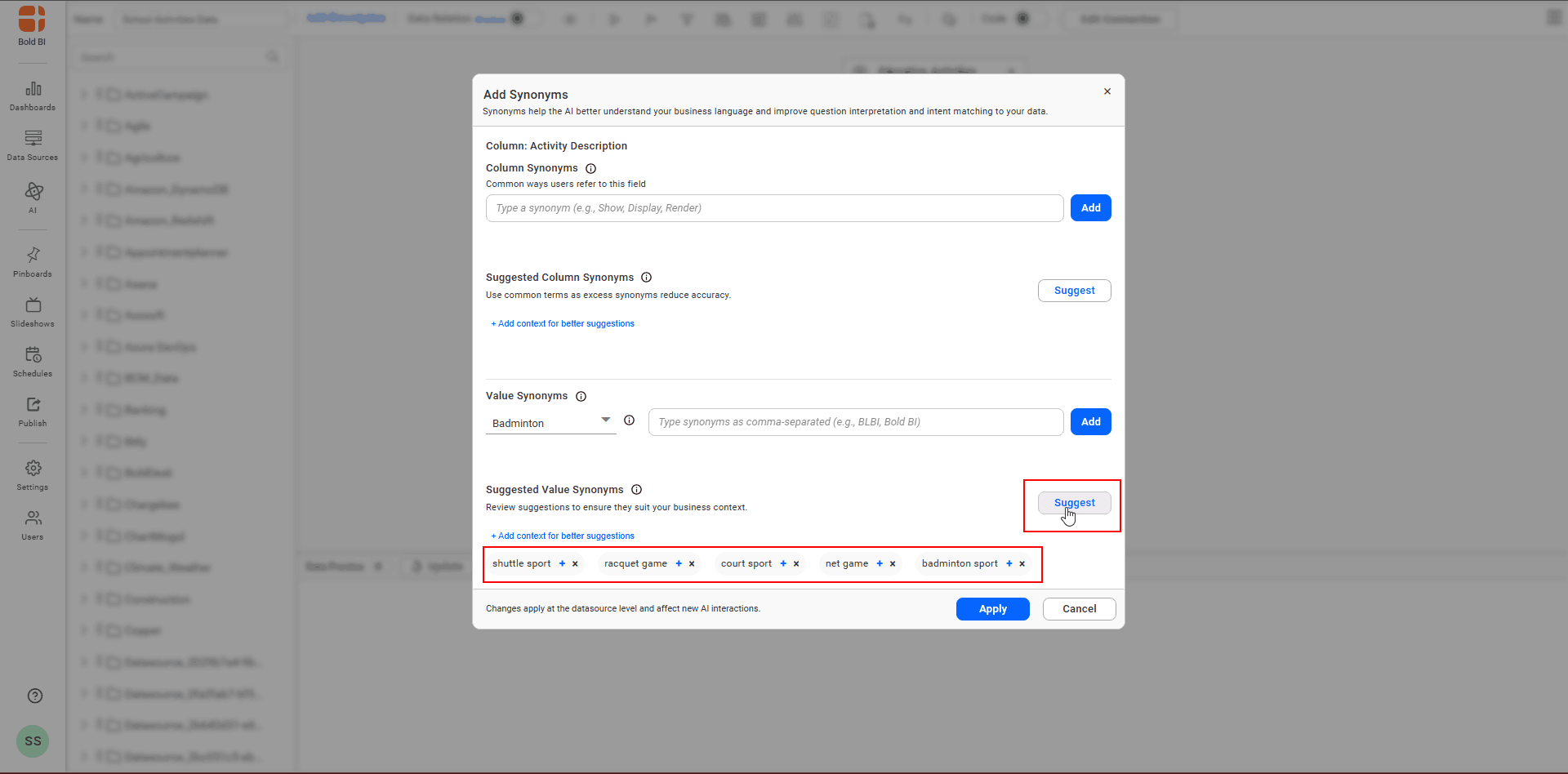
Value Synonyms Suggestions
The system can propose synonyms for specific values to help you quickly populate value-level synonyms.
How to get value synonyms suggestions
- Select or enter a value and click Suggest to view generated candidates; review and apply as needed.
Additional Context for Synonyms Suggestions
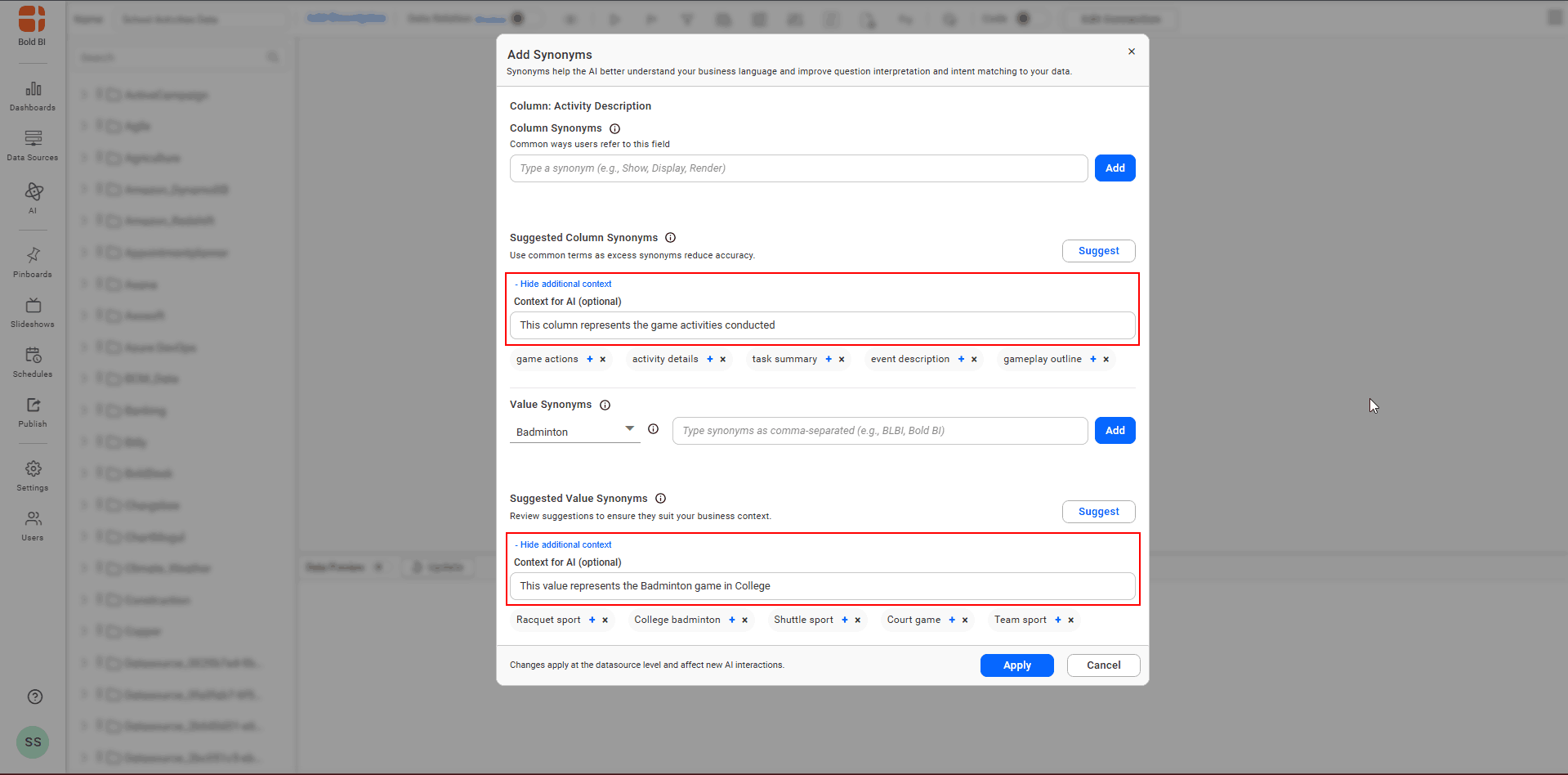
An optional “additional context” field is available for columns and values. Providing this context helps the suggestion engine produce more accurate and relevant synonym recommendations.
Limitations
- In the Value Synonyms list, only the first 1000 data values are displayed; values beyond the first 1000 must be entered manually.
- Synonyms must be added one column at a time; support is provided per single column in the datasource (add synonyms separately for each column).
- Synonyms are used only for AI interactions; they do not change or replace the actual column names or actual data values.
- Adding synonyms is currently not supported in Code view or for dashboard parameters.
Note: Saving the datasource applies synonyms at the datasource level and affects subsequent AI interactions.
- Steps to initiate synonyms
- Column Synonyms
- Column Synonyms Suggestions
- Value Synonyms
- Value Synonyms Suggestions
- Additional Context for Synonyms Suggestions
- Limitations
Having trouble getting help?
Contact Support- Steps to initiate synonyms
- Column Synonyms
- Column Synonyms Suggestions
- Value Synonyms
- Value Synonyms Suggestions
- Additional Context for Synonyms Suggestions
- Limitations
Having trouble getting help?
Contact Support