
Activating AI Feature
For On-Premises Users (10.1 and Later)
- Starting from the 10.1 release, on-premises users can activate AI features by globally enabling the
Enable AI Agent. If the enable AI Agent is disabled, users will not be able to configure or use any AI-related features.
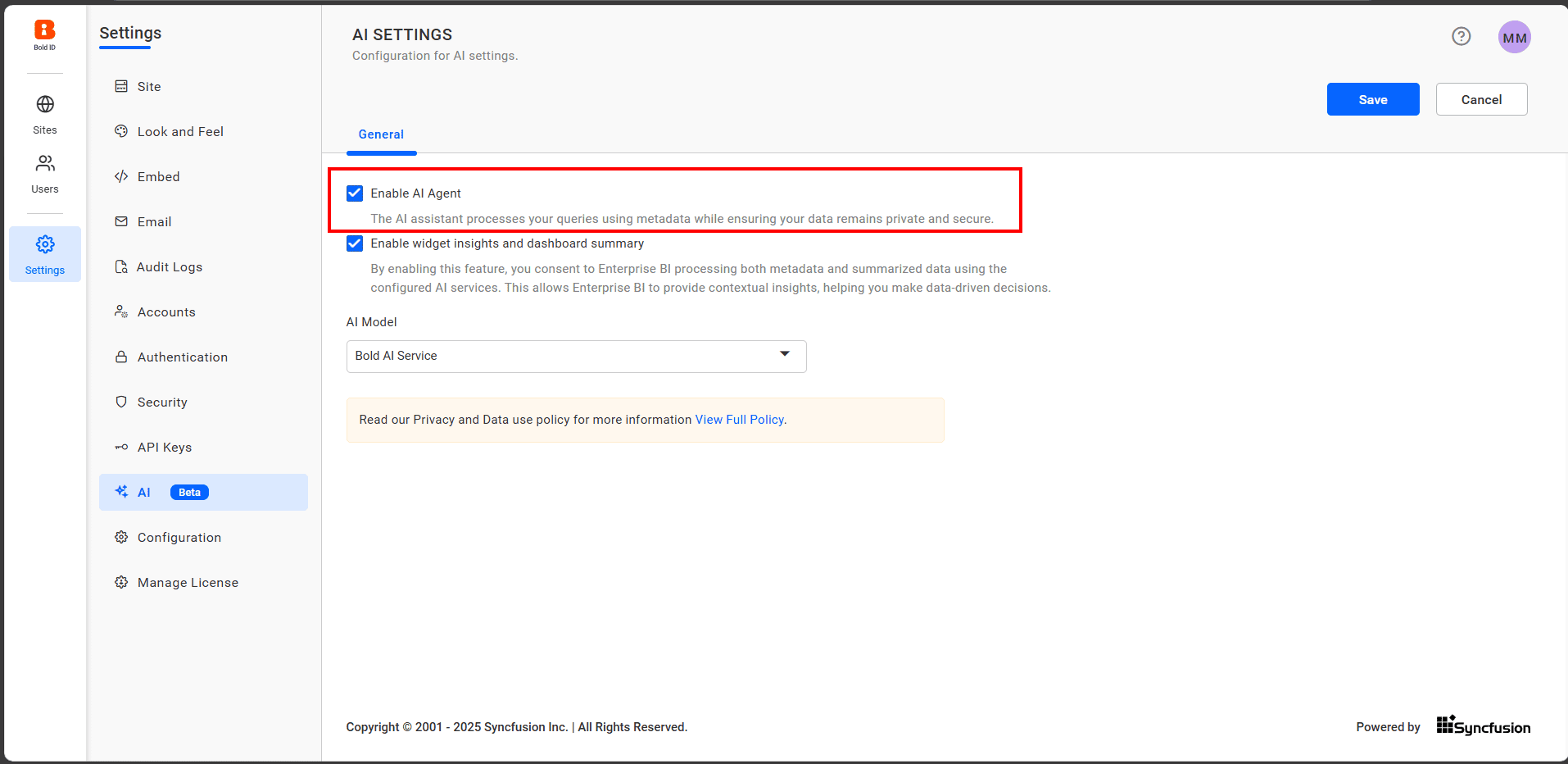
For detailed instructions on configuring AI, refer to the Configure AI documentation Configure AI Feature Guide.
- To utilize Widget Insights, Dashboard Summary, and Textual Responses, ensure that the
Enable Widget Insights and Dashboard Summaryoption is enabled. Disabling this option will prevent access to these AI-powered features.
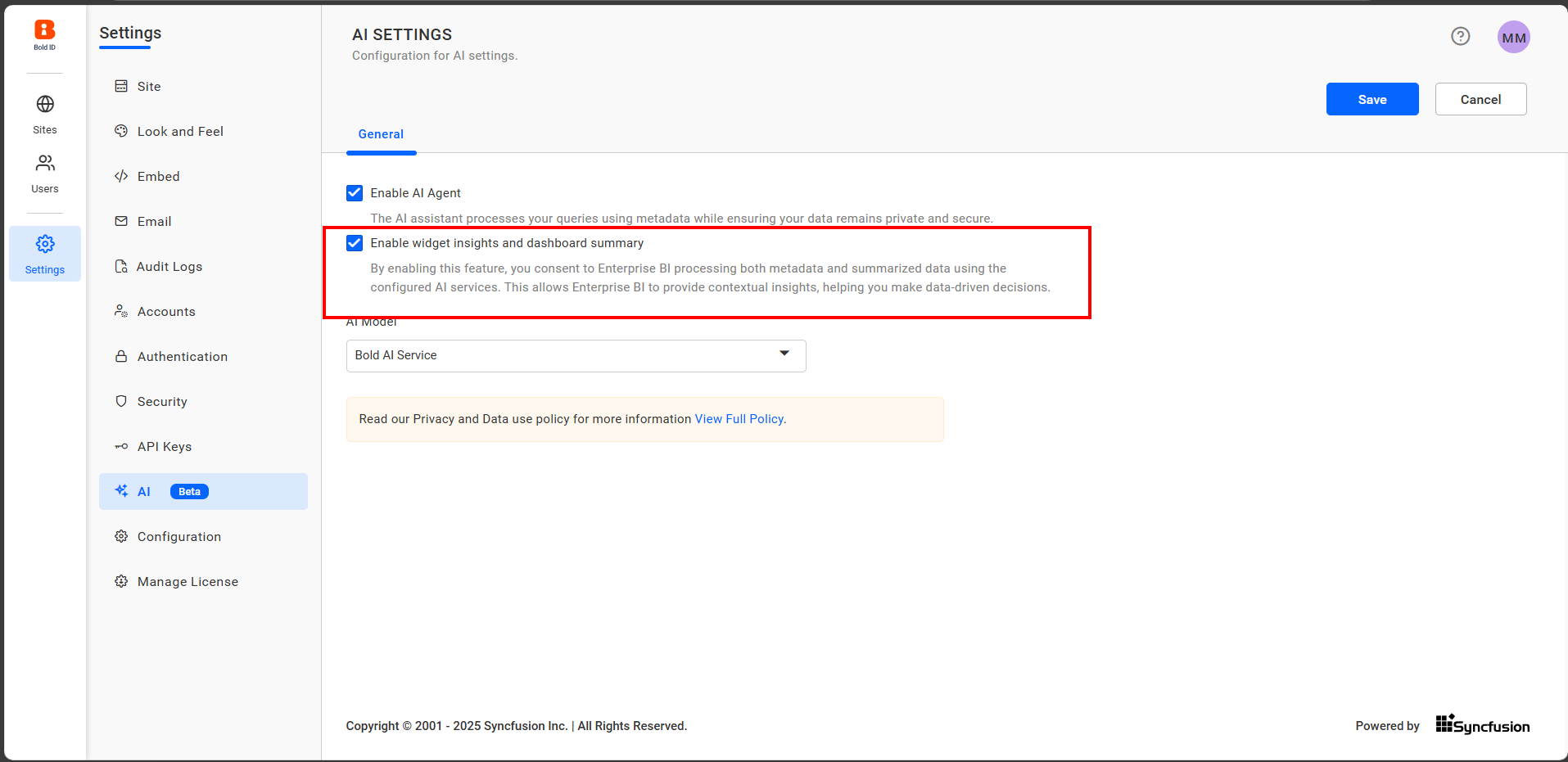
Note: For details on the data used for widget insights and dashboard summaries, refer to the Data Processing Feature Guide.
For Cloud Users and On-Premises Users (Below 10.1)
Cloud users and on-premises users on builds below 10.1 need to manually activate AI.
Activate AI Feature
Watch our latest video tutorial to learn how to activate the AI feature in Bold BI. Follow step-by-step instructions and helpful tips to get the most out of this powerful functionality!
Steps to activate AI feature
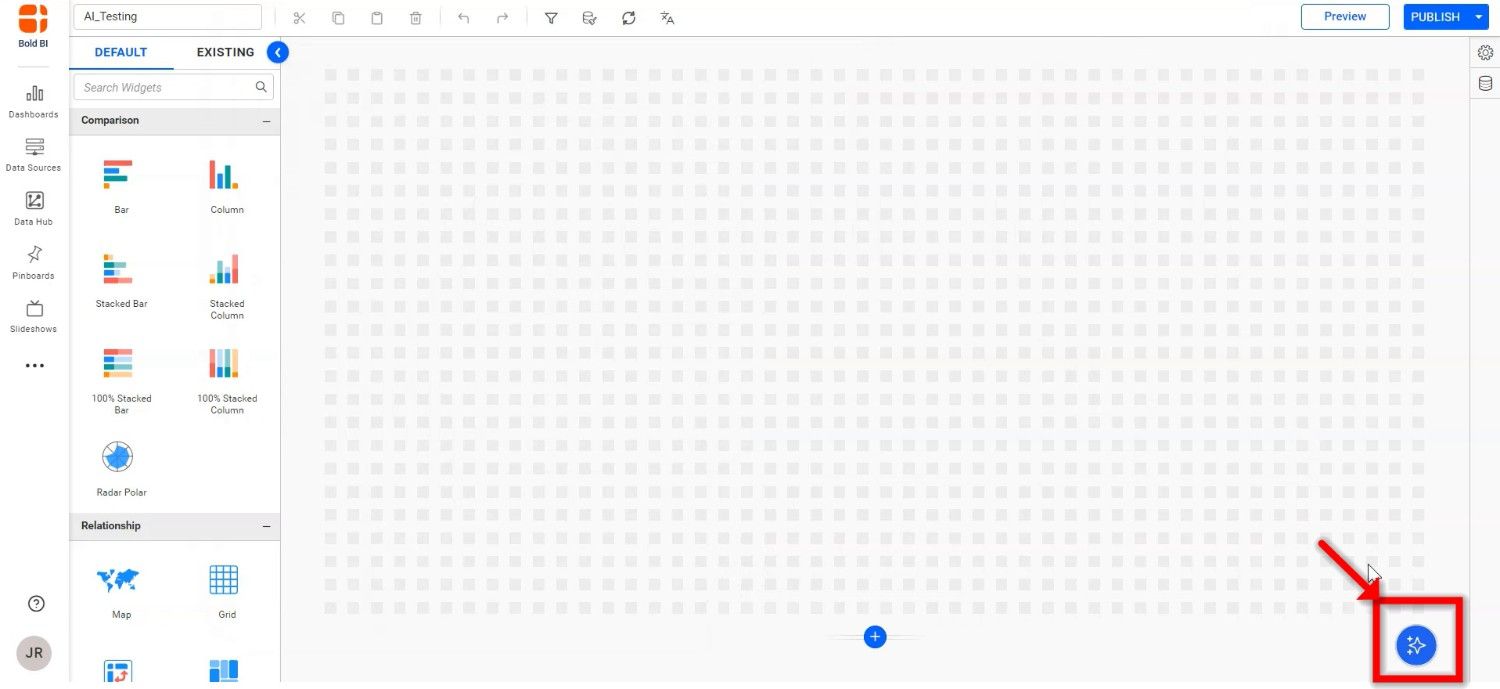
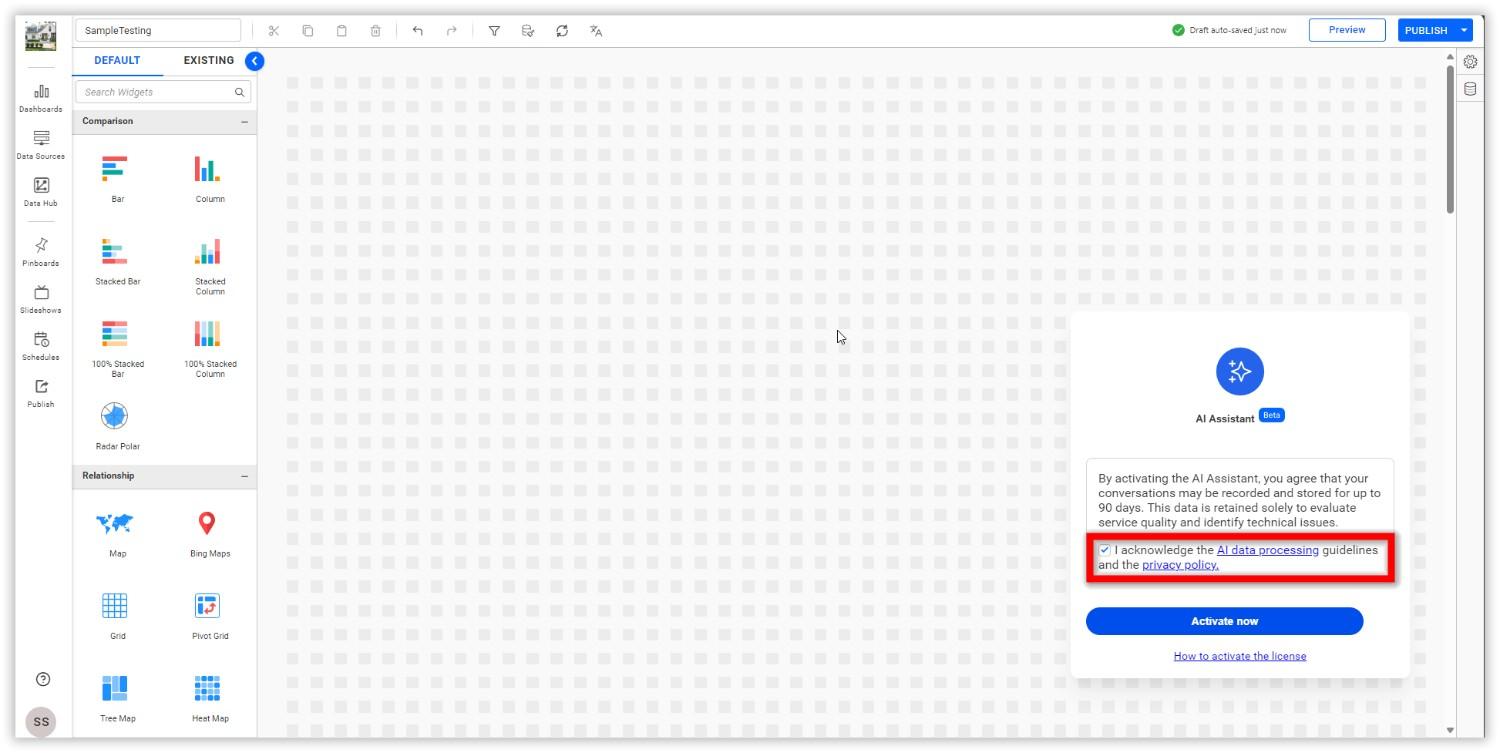
- Click on the AI Copilot feature icon located at the bottom right of the dashboard designer or viewer.
- After clicking the icon, AI Copilot Activation page will appear.
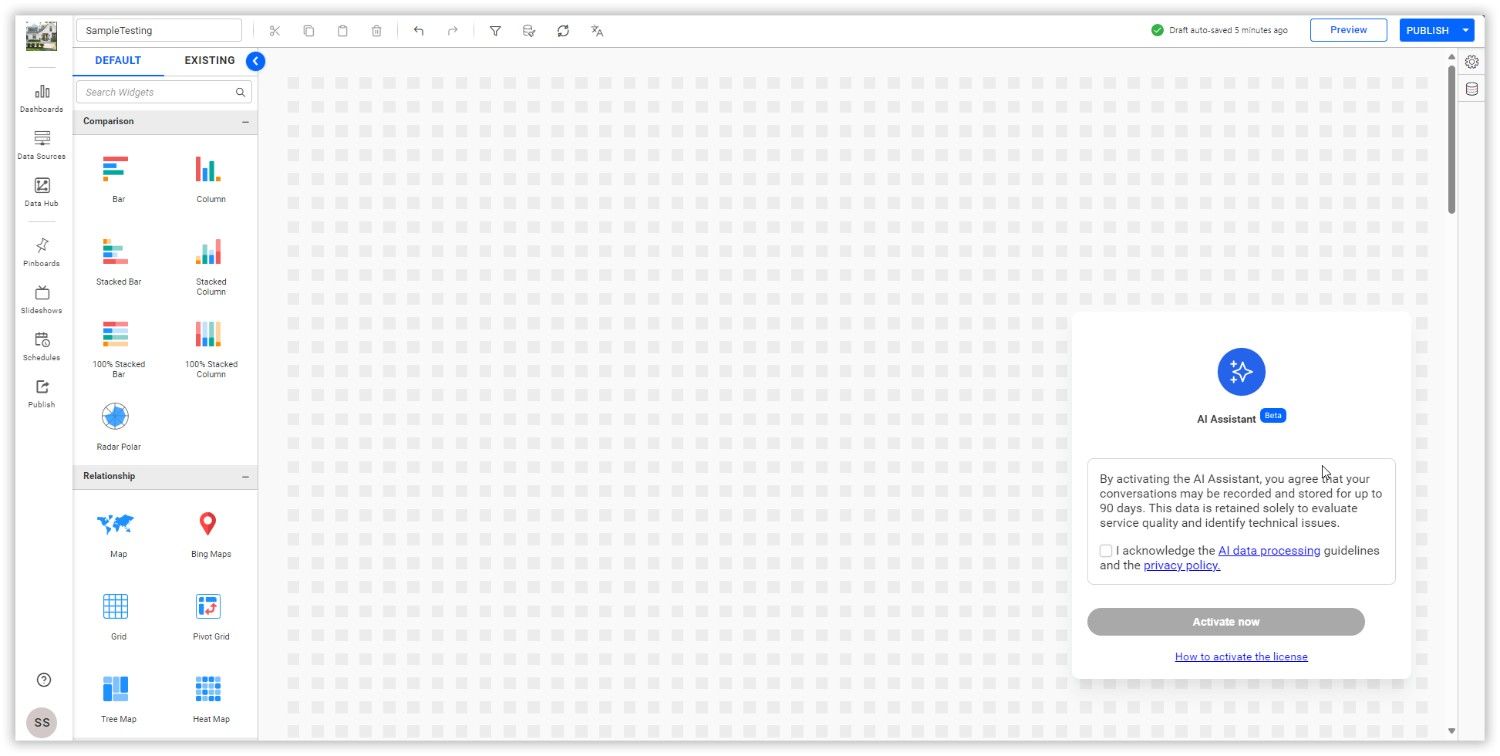
- Review the AI data processing procedure and acknowledge it, which will enable the Activate button. Then, click the
Activate Nowbutton.
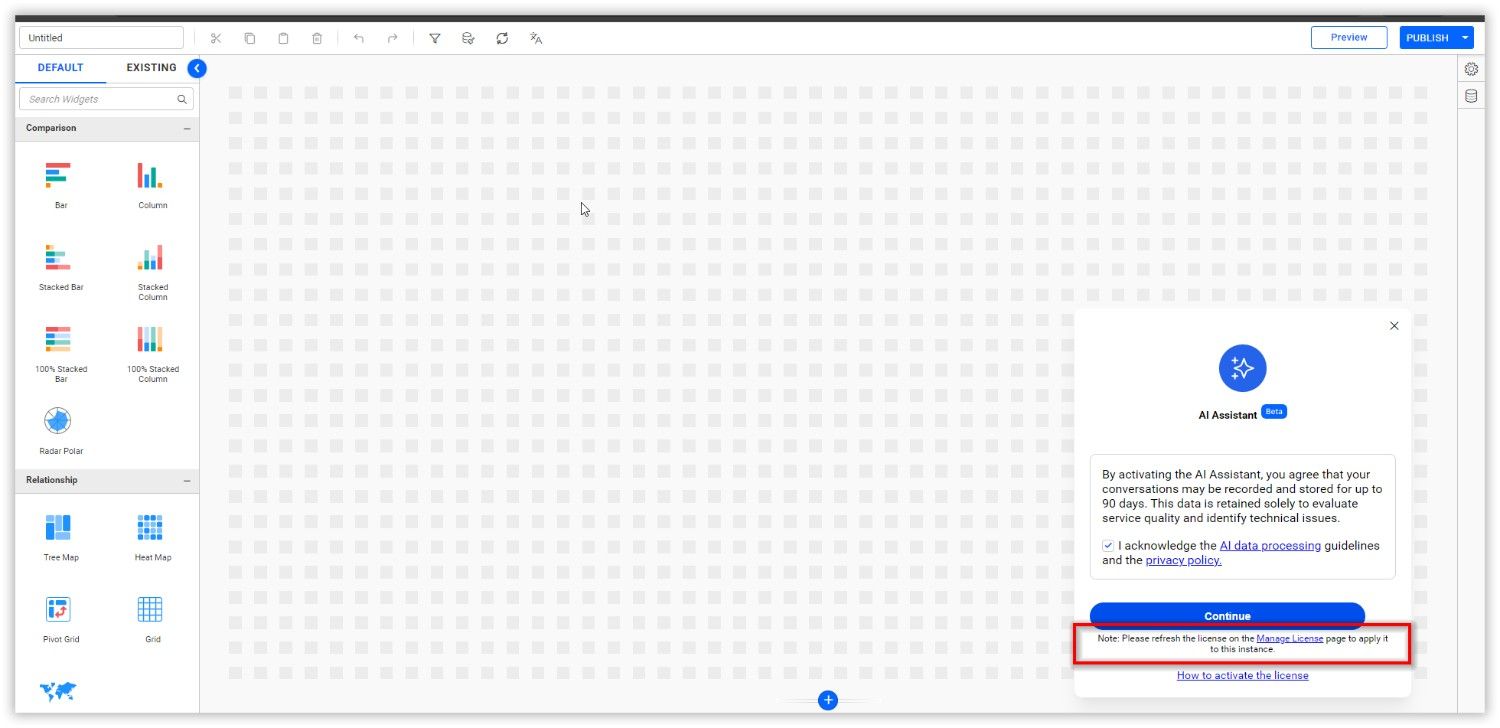
- Before continuing, to update the license with AI features enabled in the cloud environment, click on
Manage Licenseto navigate to the license management page.
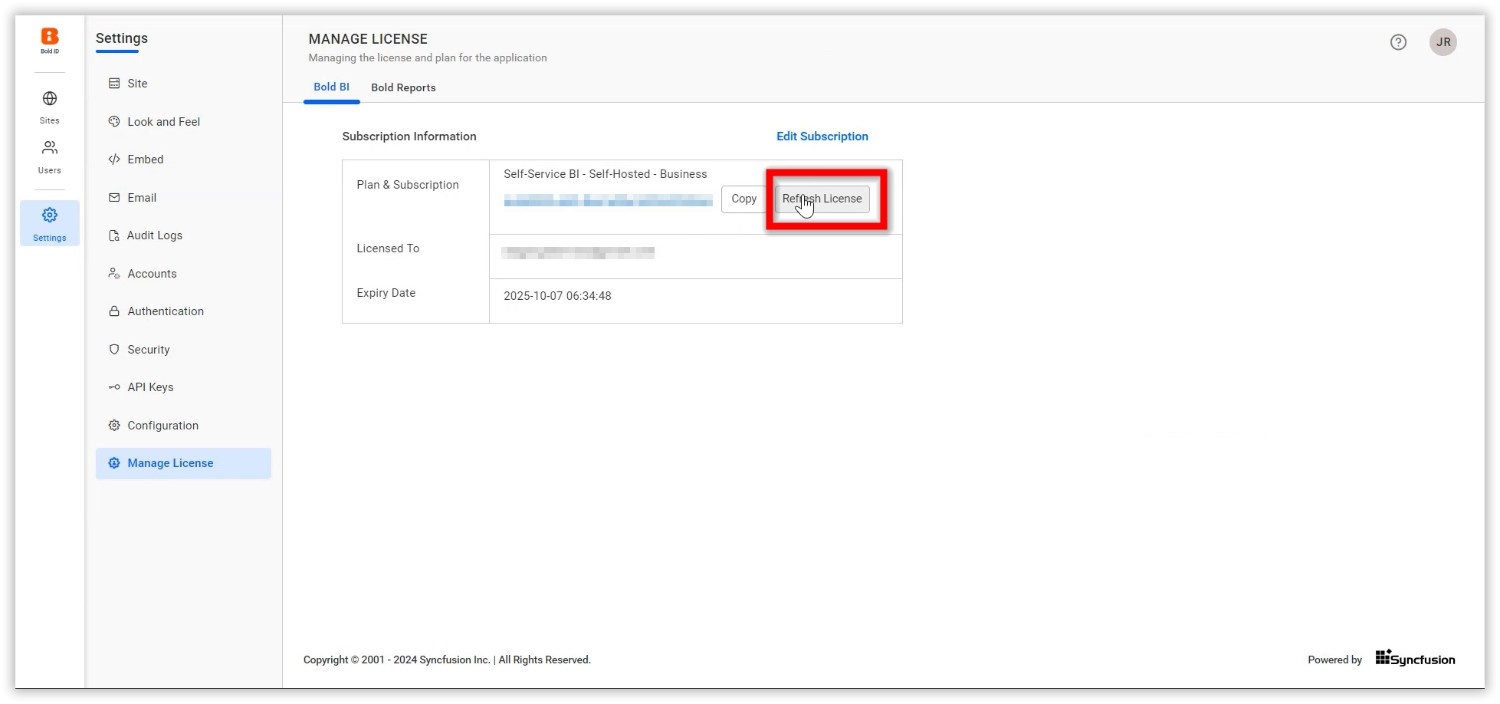
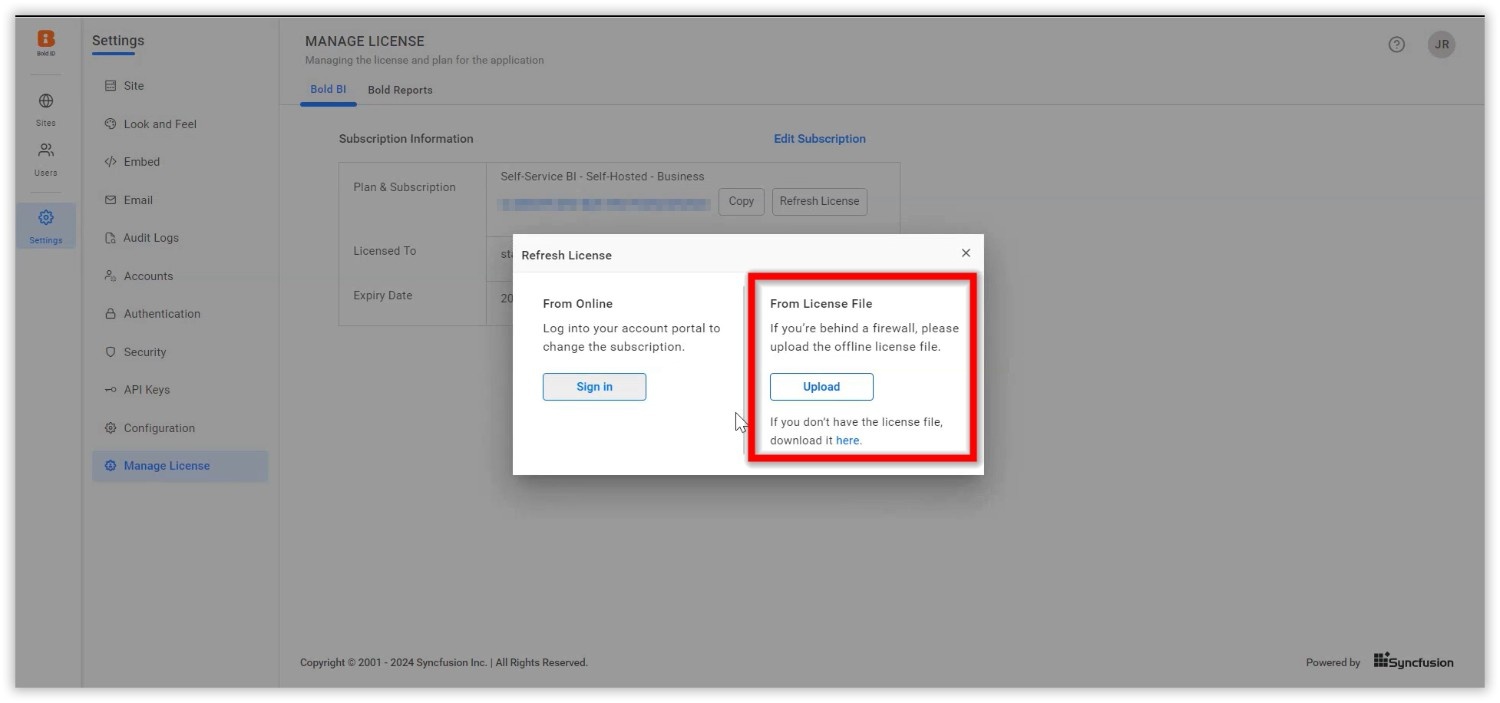
- To include the updated license key with AI features enabled in the cloud environment, click the
Refresh Licensebutton.
- For online activation, sign in using your account credentials.
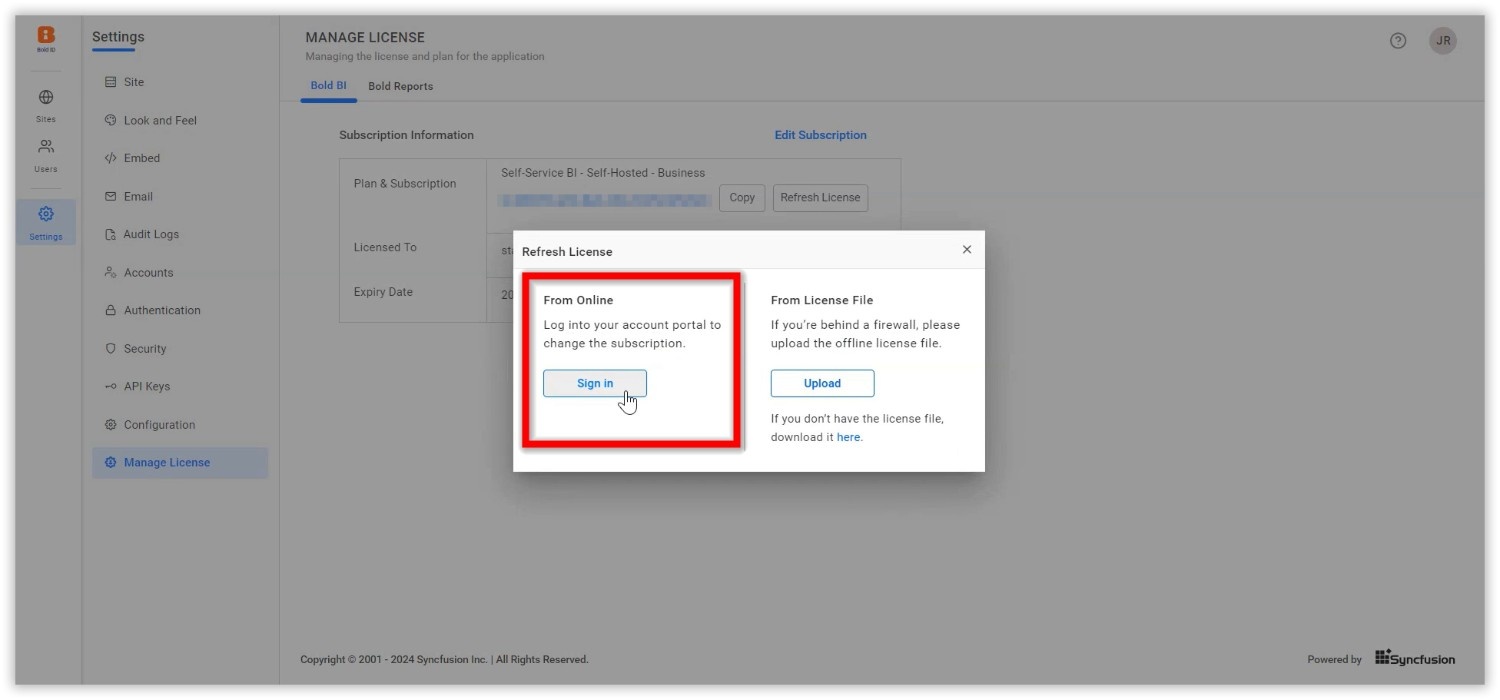
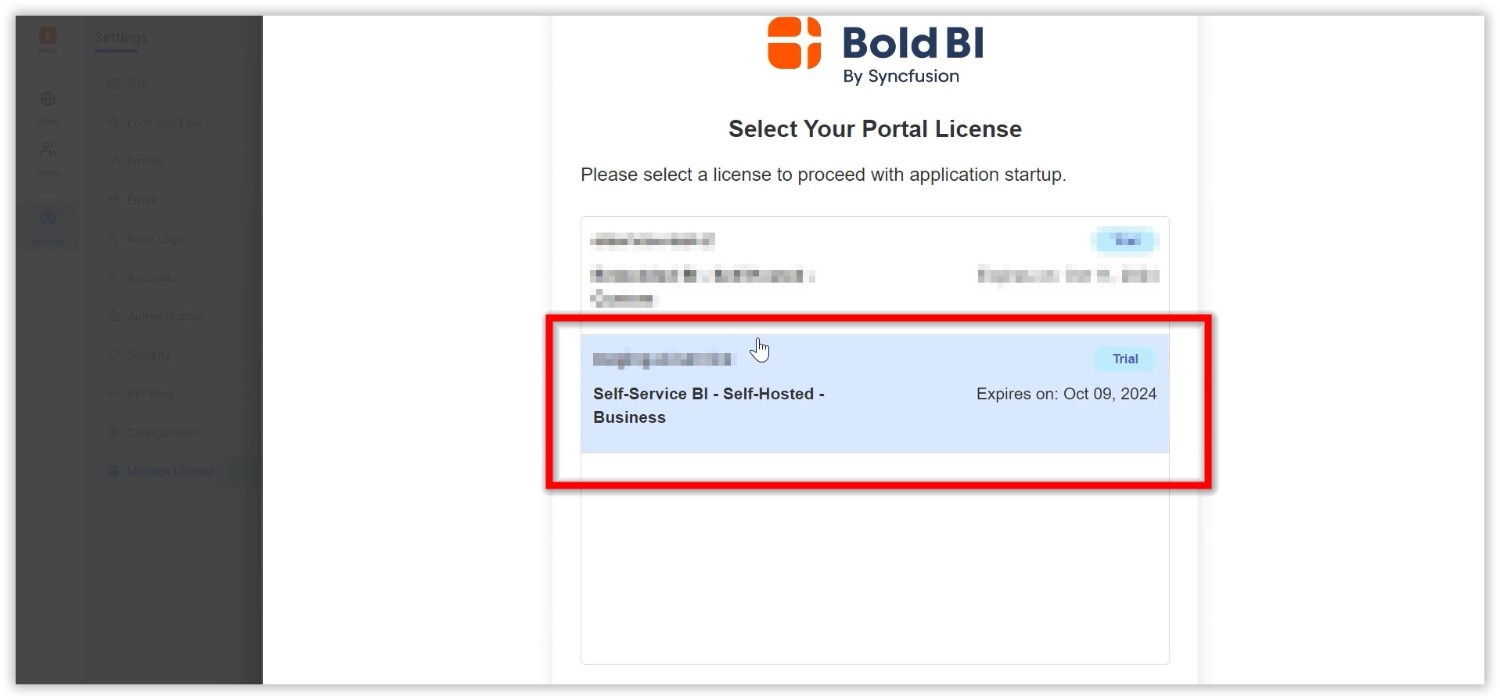
- To activate offline, follow the steps outlined in this Offline Activation Guide
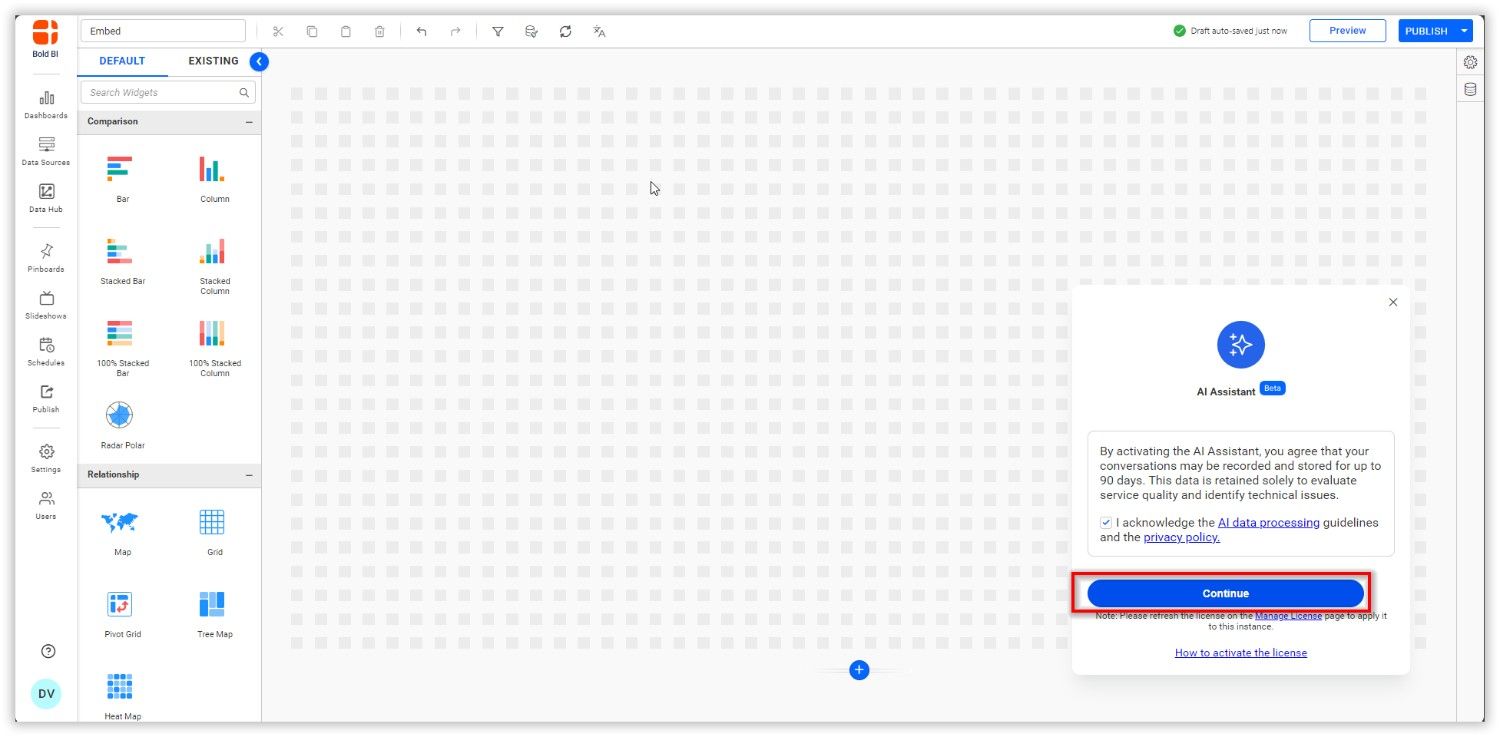
- After the activation is complete, click the
Continuebutton.
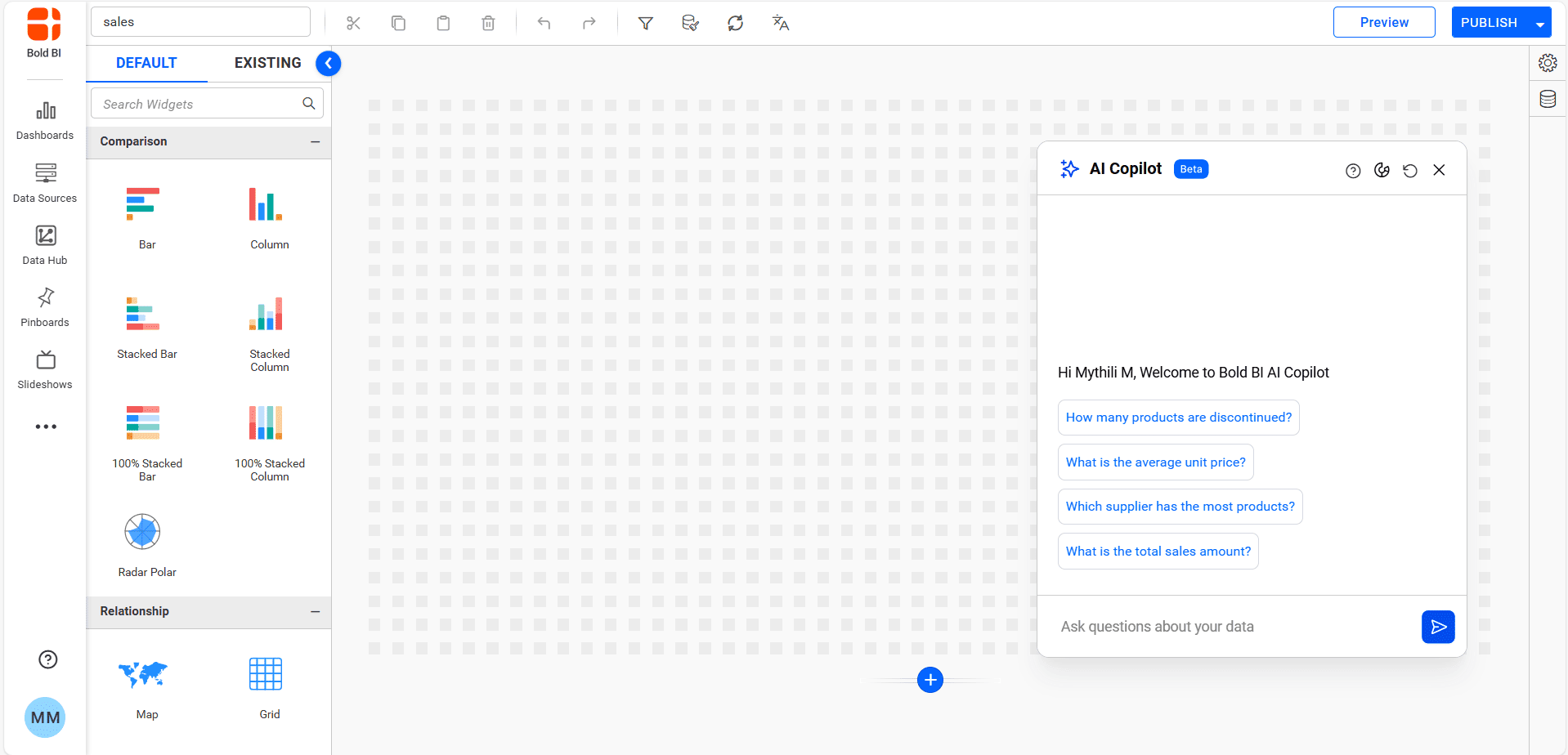
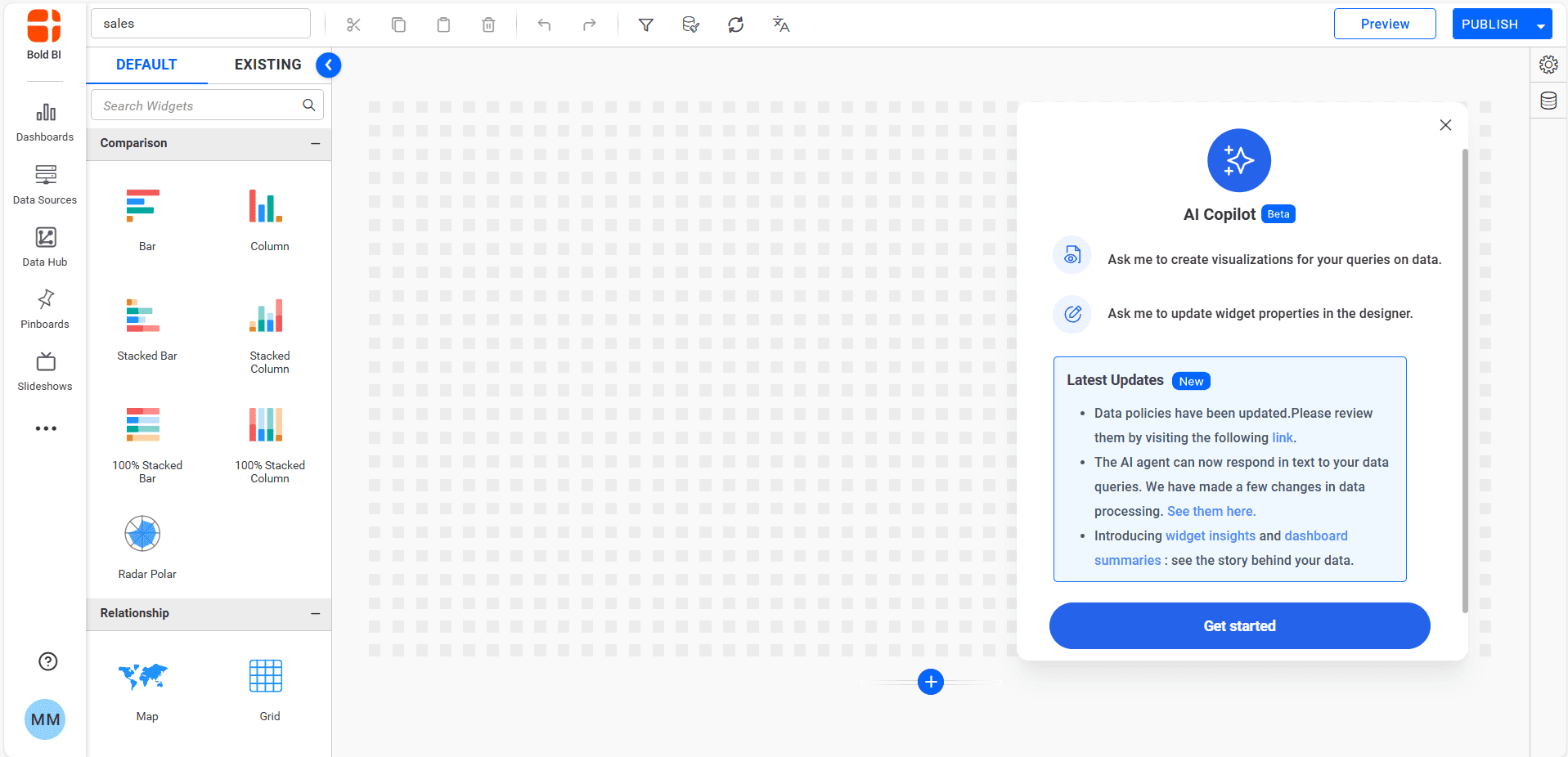
- You will be directed to a confirmation page indicating that the AI feature has been activated. If activating a fresh build, the release notes page will appear; otherwise, the AI chat page will be displayed.
NOTE: These activation steps apply only to existing license keys. For new license keys, activation will be completed at license registration itself.