
Manage AI Settings in UMS
Steps to Enable or Disable AI Features and Configure AI at the UMS Level
You can enable or disable AI features and configure AI settings at the UMS level. Follow the steps below:
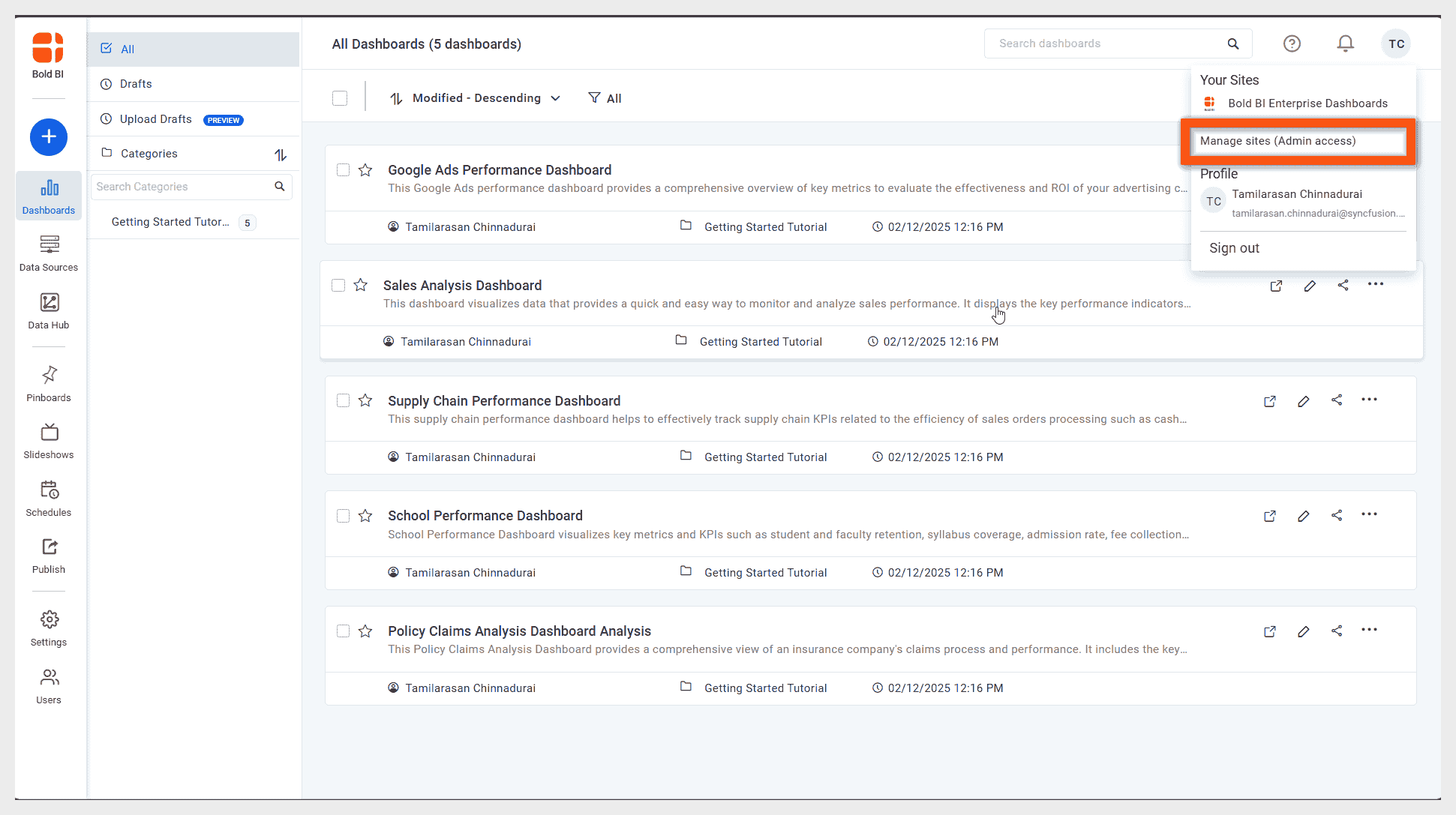
- Click on the
profileicon in the top-right corner and selectManage Sites.
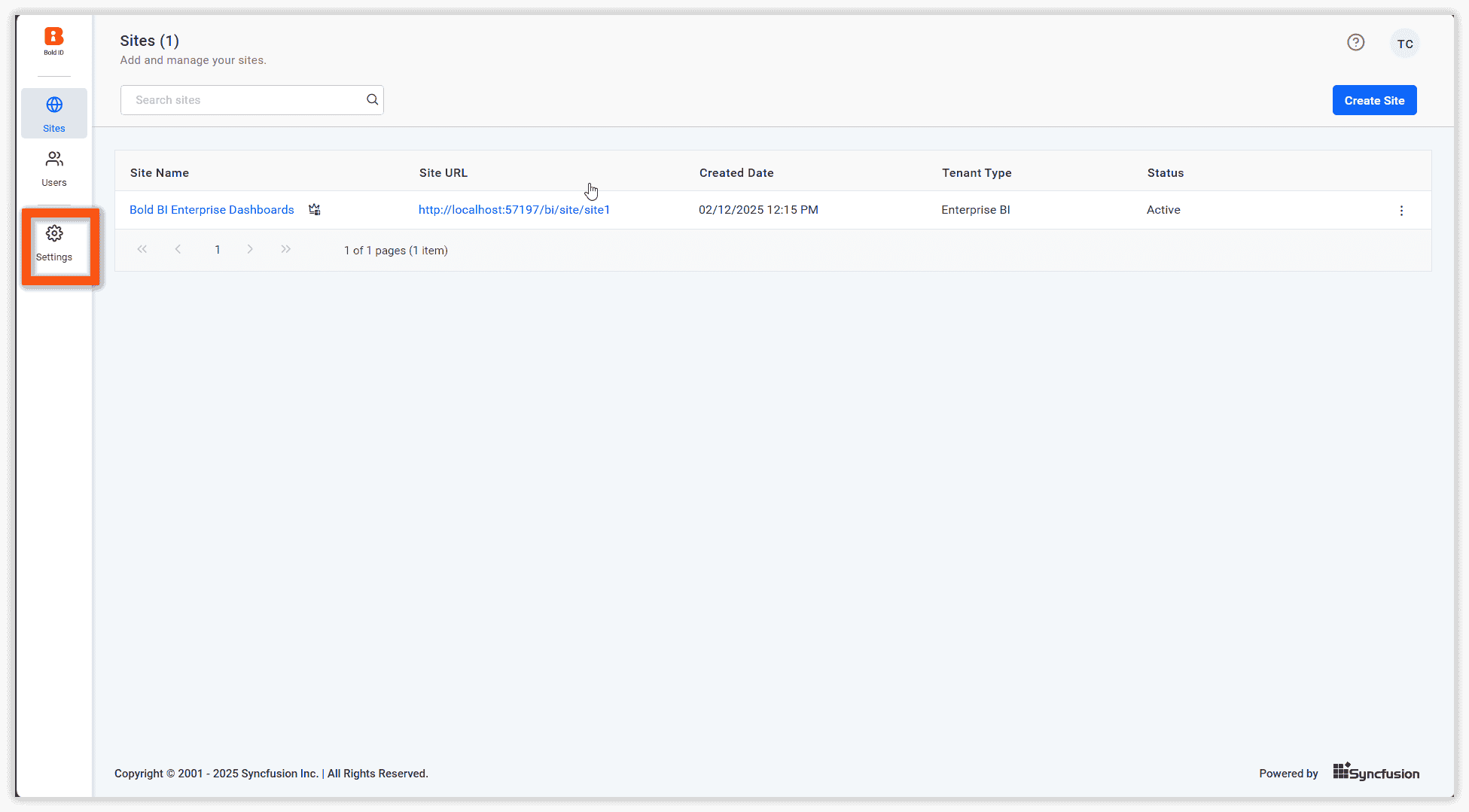
- On the Manage Sites page, click the
Settingsicon.
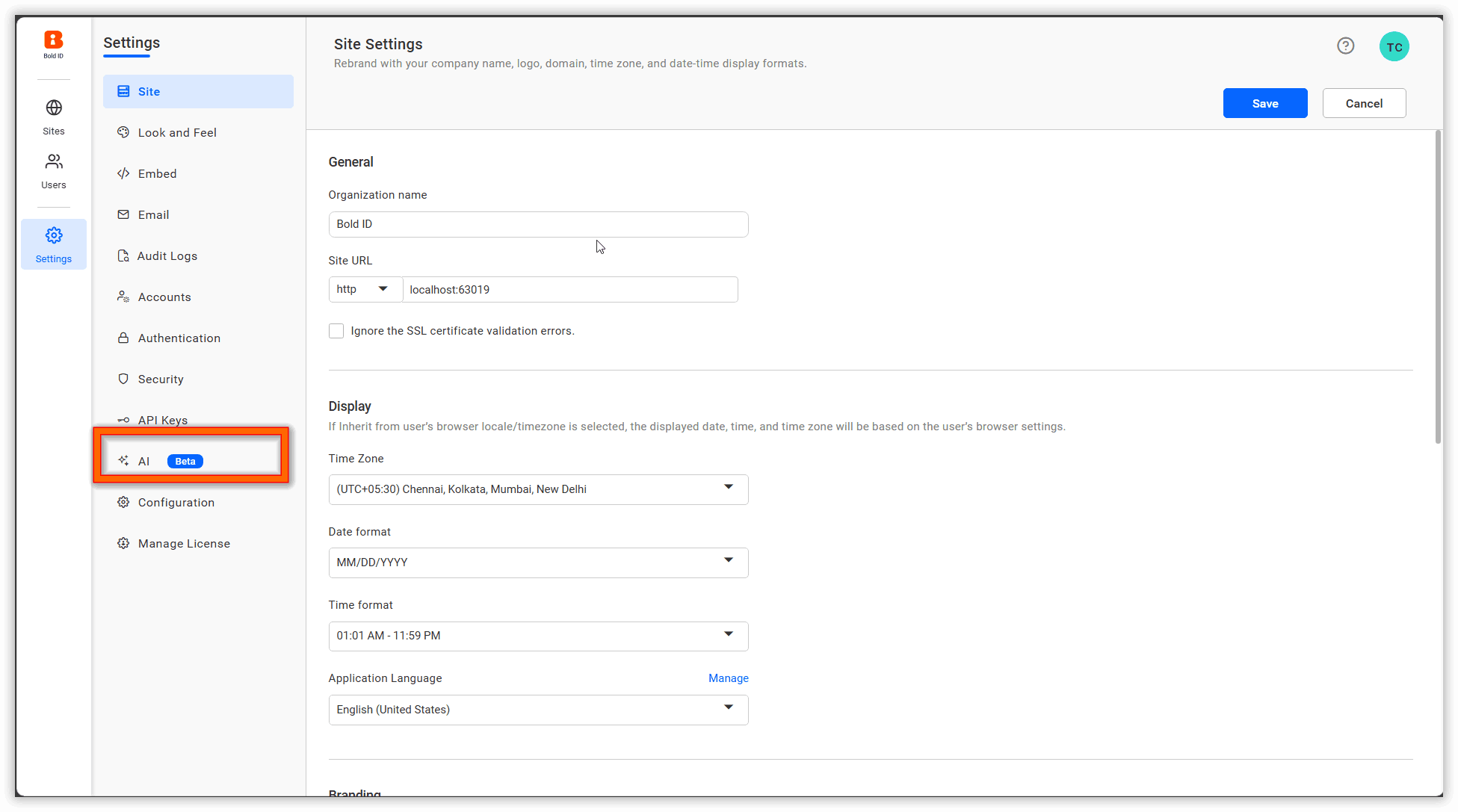
- In the Settings page, navigate to the
AIoption.
- On the AI page, enable or disable the Enable AI toggle button.
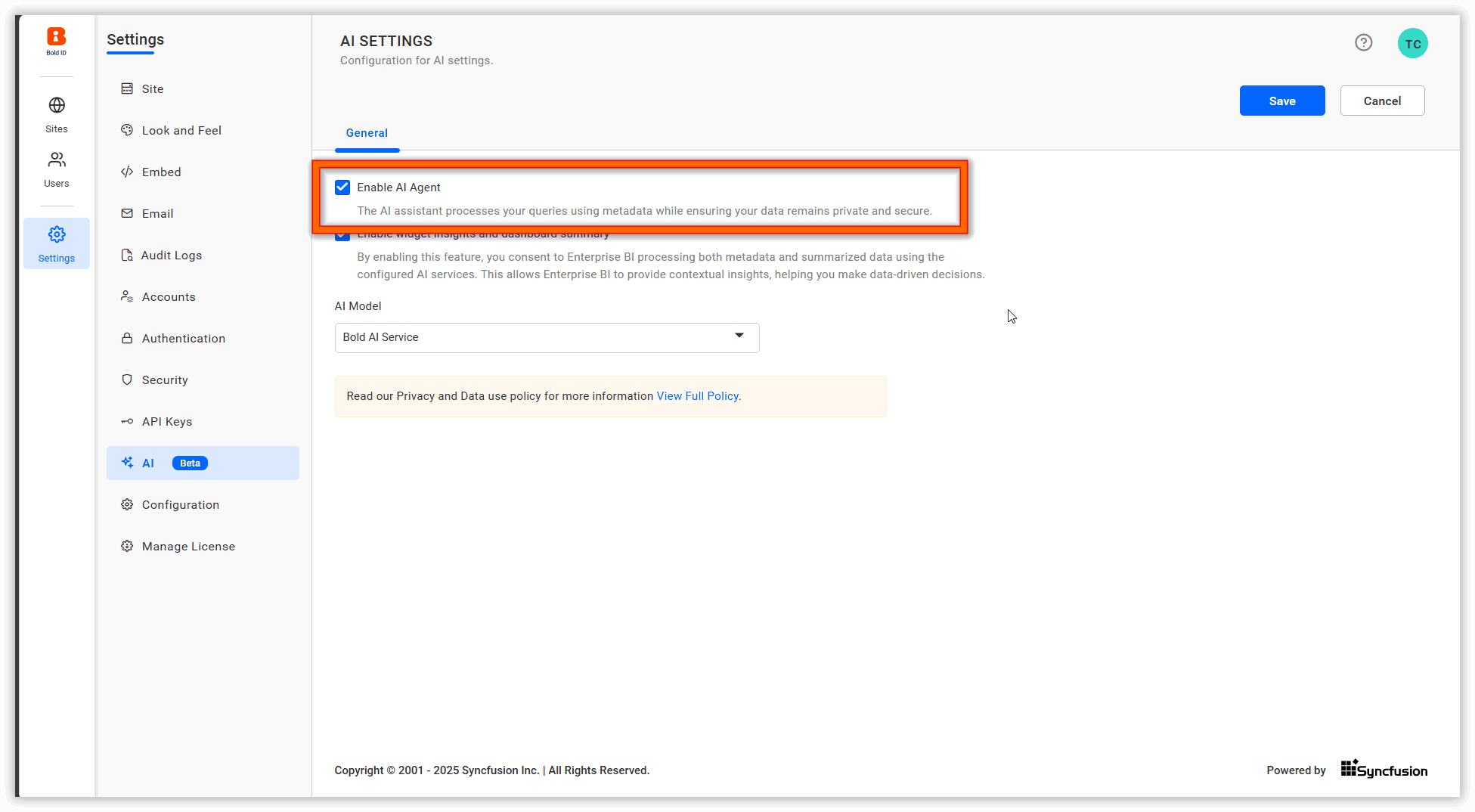
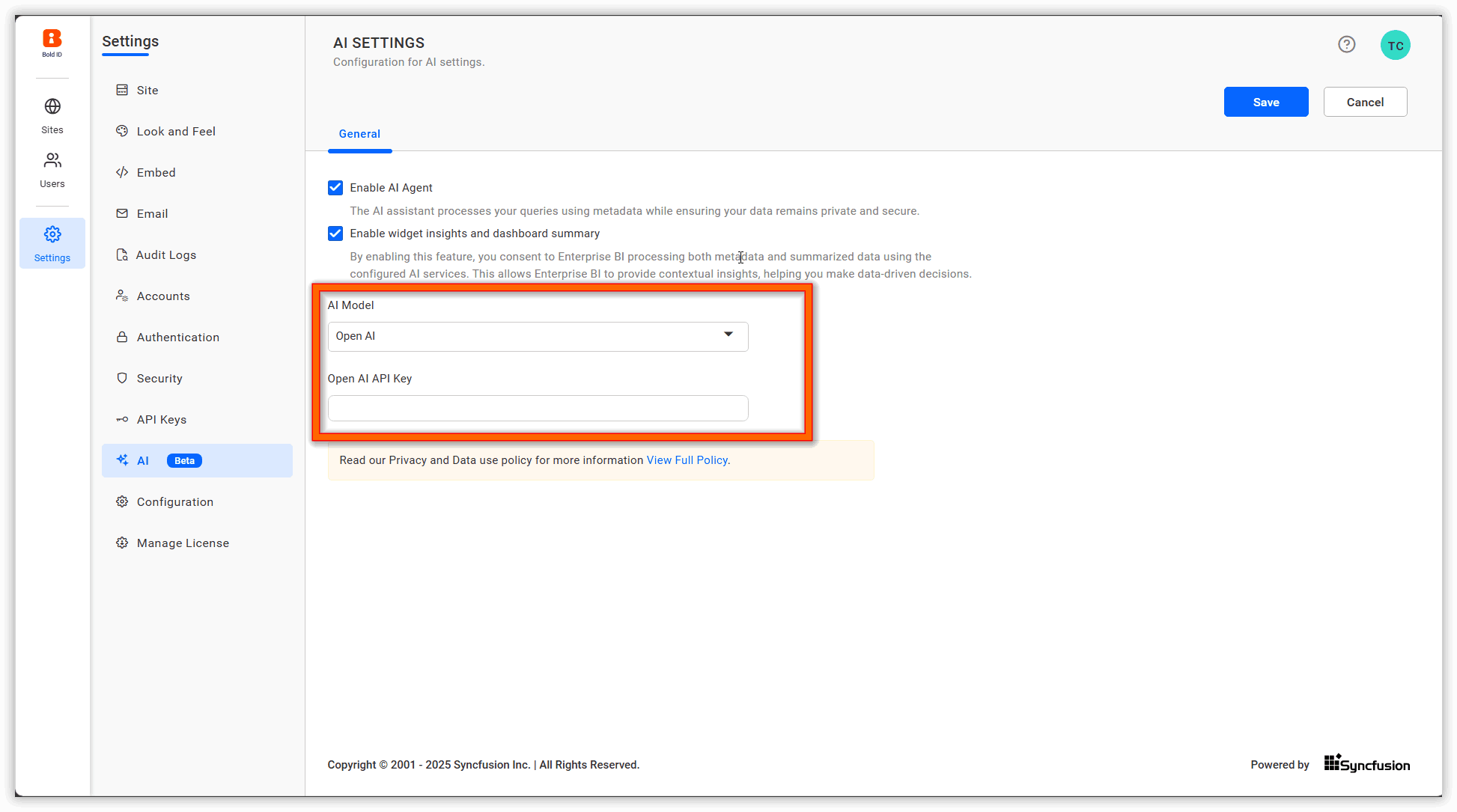
- Choose and configure your preferred AI on the AI page.
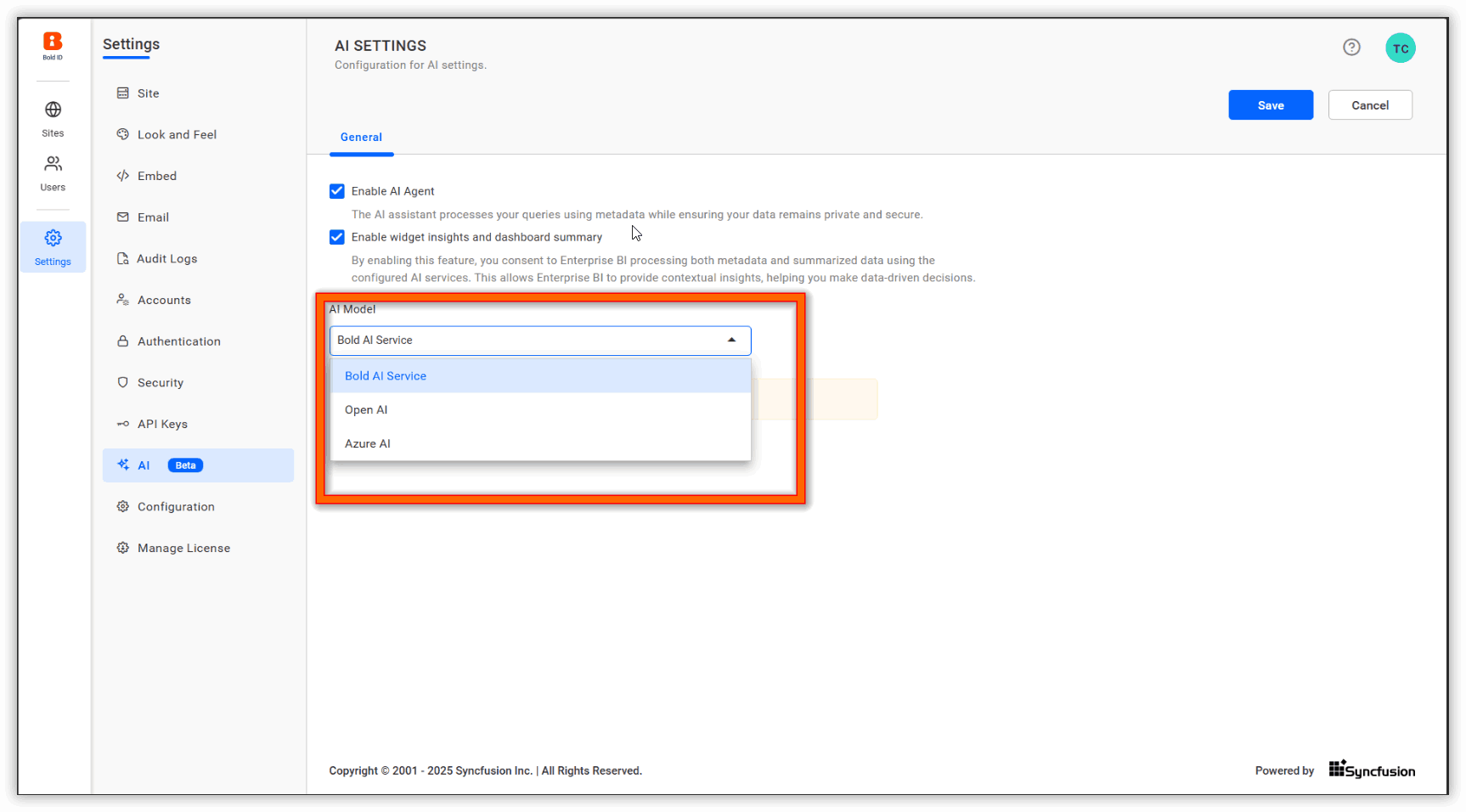
- If you select Bold AI Service, no credentials are required, and it operates as a cloud-based service.
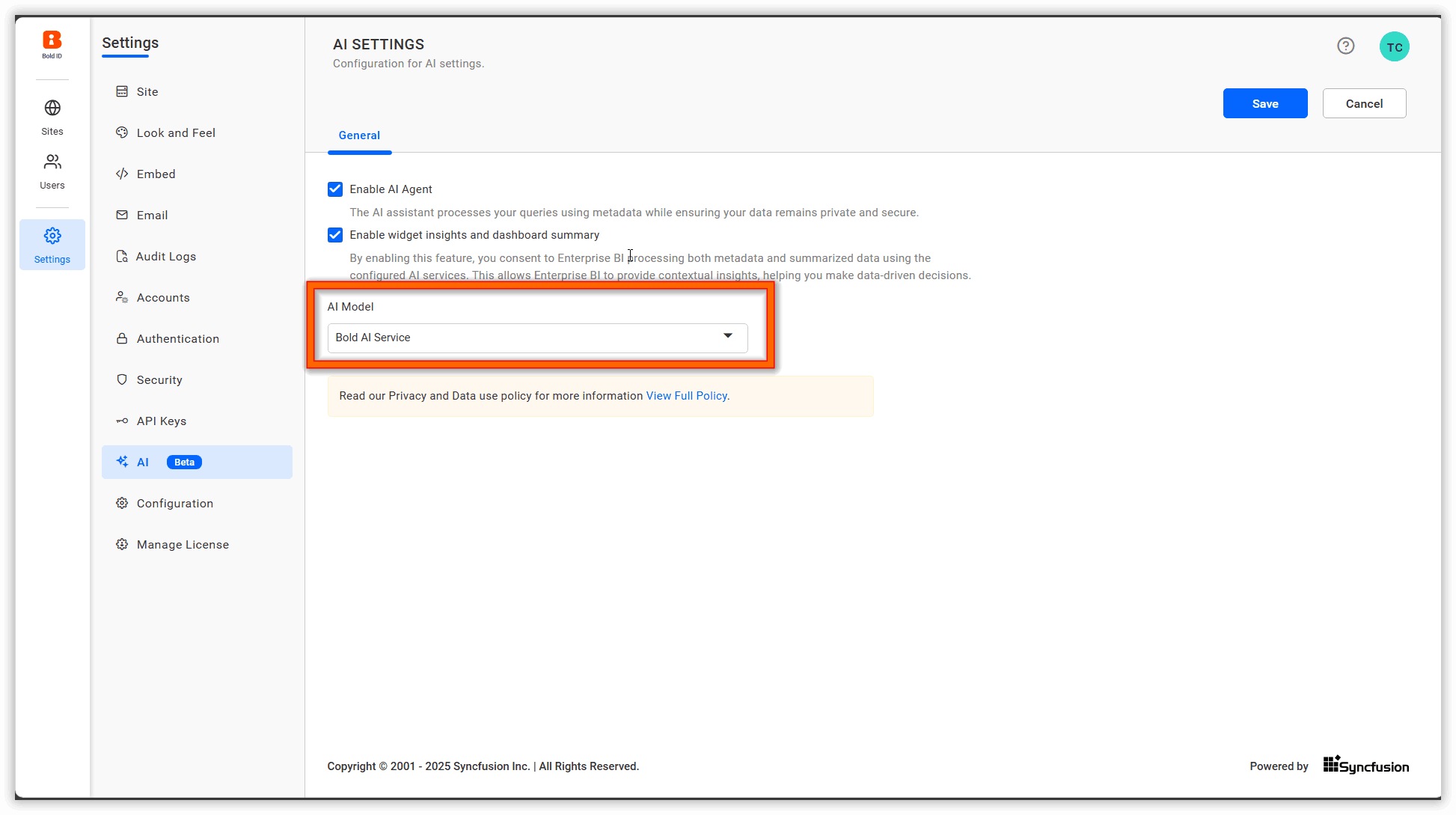
- If you select OpenAI, enter the API Key.
- If you select Anthropic as the provider, enter the valid Anthropic API Key.
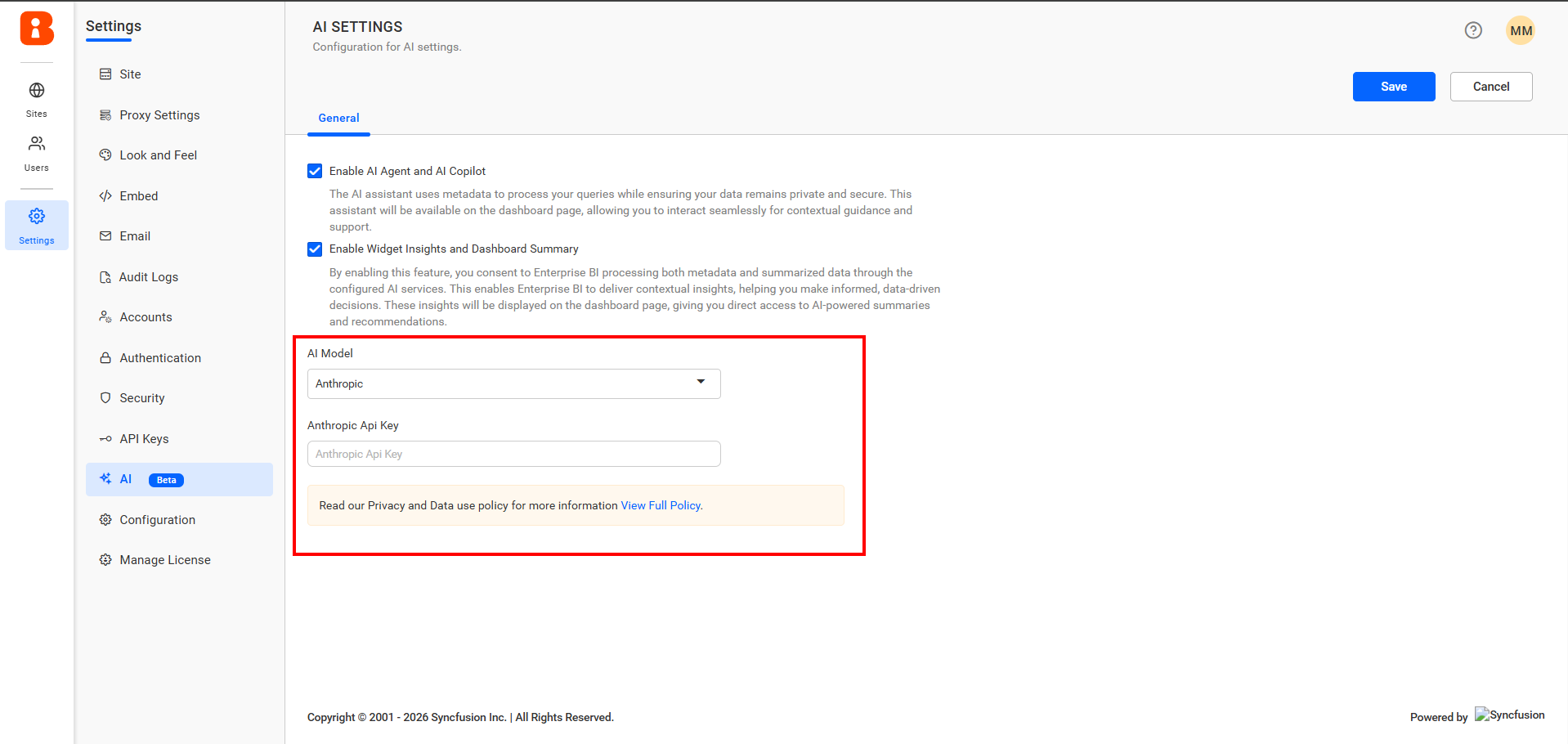
Note: Multiple model selection is currently not available. The default model is
Claude Opus 4.8. Support for selecting multiple models will be available in a future release.
-
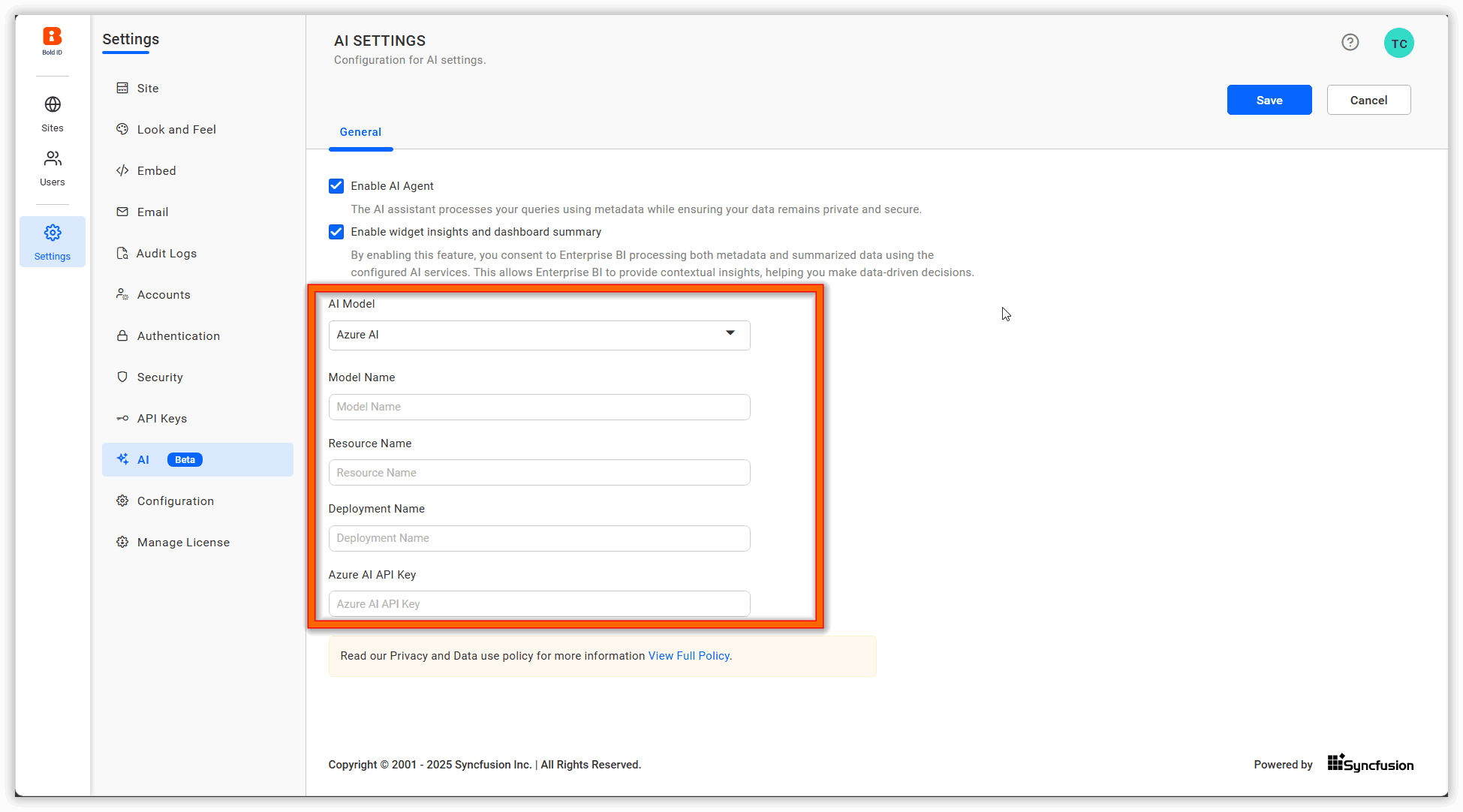
If you select Azure AI as the provider, you can configure and use models deployed through Azure AI Foundry.
To complete the configuration, provide the following details:
- Model Name
- Deployment Name
- Resource Name
- Azure AI API Key
Note: Supported Azure AI Foundry models include
GPT-4o,GPT-4o-mini,GPT-5.1,GPT-5.2,GPT-5.4,GPT-5.5,DeepSeek-V4-Flash,DeepSeek-V4-Pro,Grok-4.3, andMistral-Large-3. The selected model must be deployed in your Azure AI Foundry resource, and the deployment name specified in the configuration must exactly match the deployment name created in Azure.
- After configuring the AI provider, click Save to apply the configuration or Cancel to discard the changes.
NOTE: This feature is available exclusively for on-premise users.