
Dashboard
In Dashboard mode, the Unified AI Agent delivers brief summaries of dashboards, emphasizing key trends and insights. select Dashboard from the dropdown menu to access this feature.
Dashboard Summary
Unified AI Agent can analyze a dashboard and provide a summarized overview of its key metrics and insights.
Steps to Generate a Dashboard Summary:
- Select Dashboard from the dropdown menu in the Unified AI Agent interface and ask a query to generate a summary
- Type the
@symbol to view the list of available dashboards.
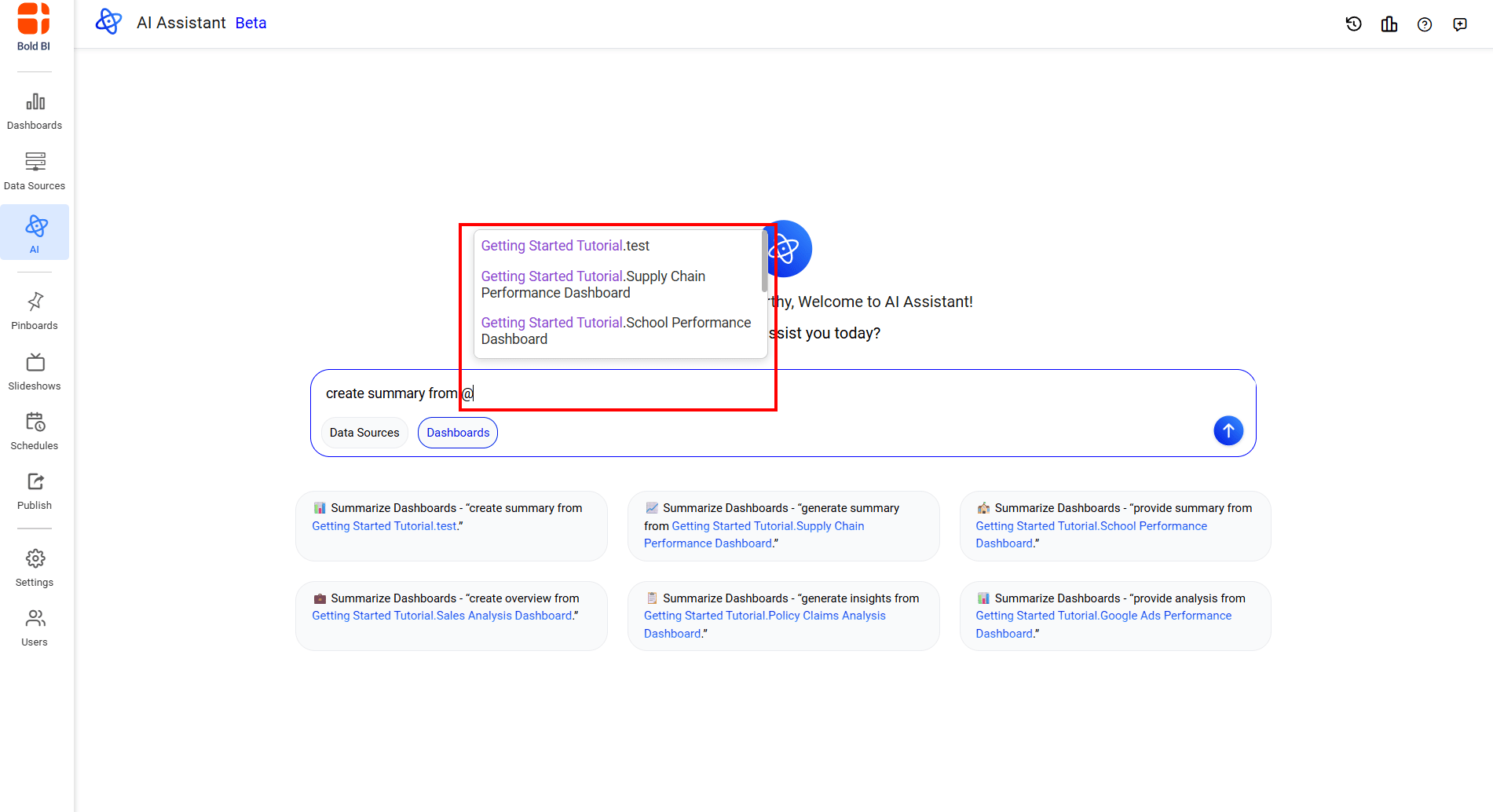 3. Select a required dashboard from the list to continue the query.
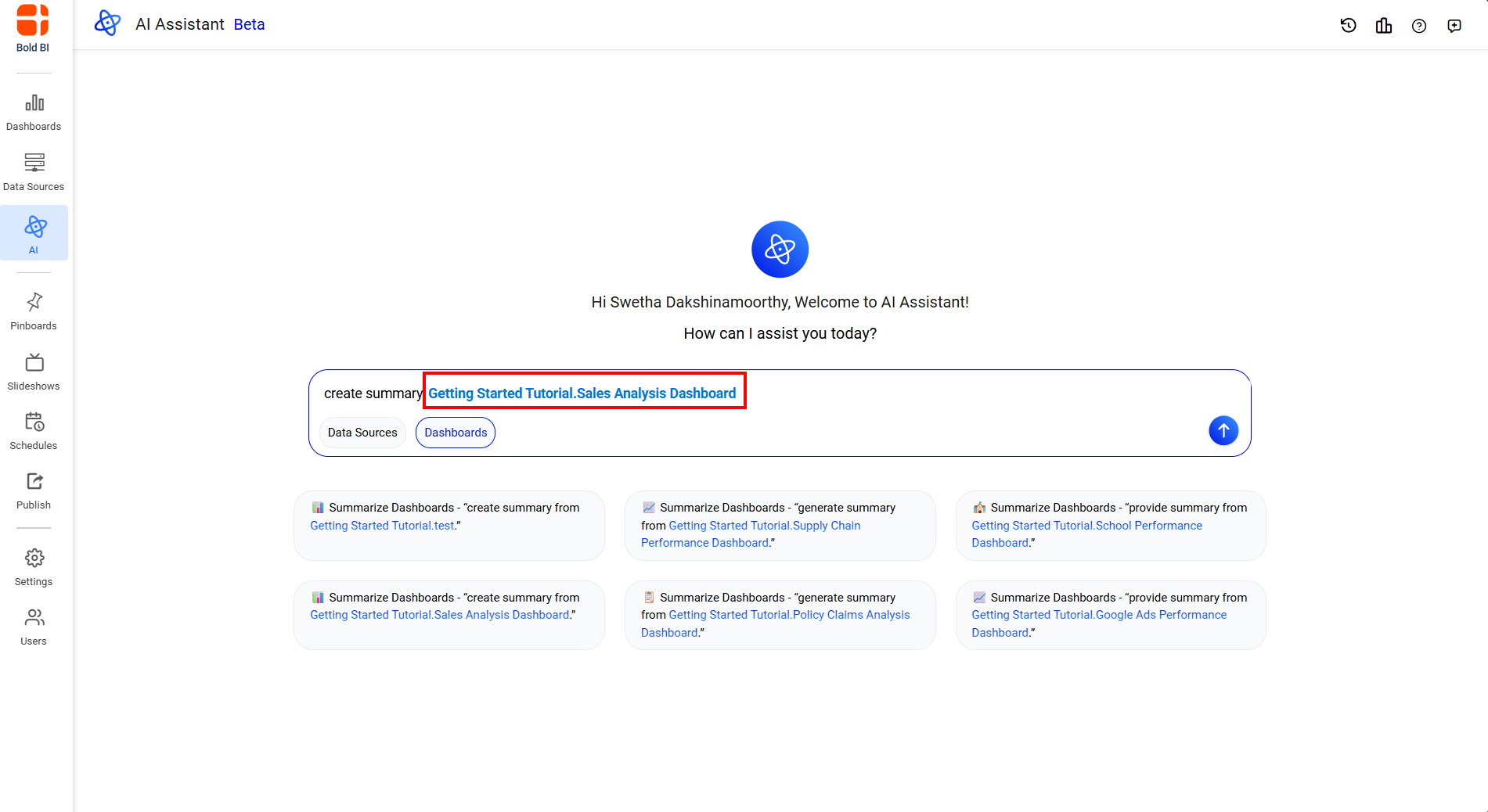 4. Send the query to generate a summary.
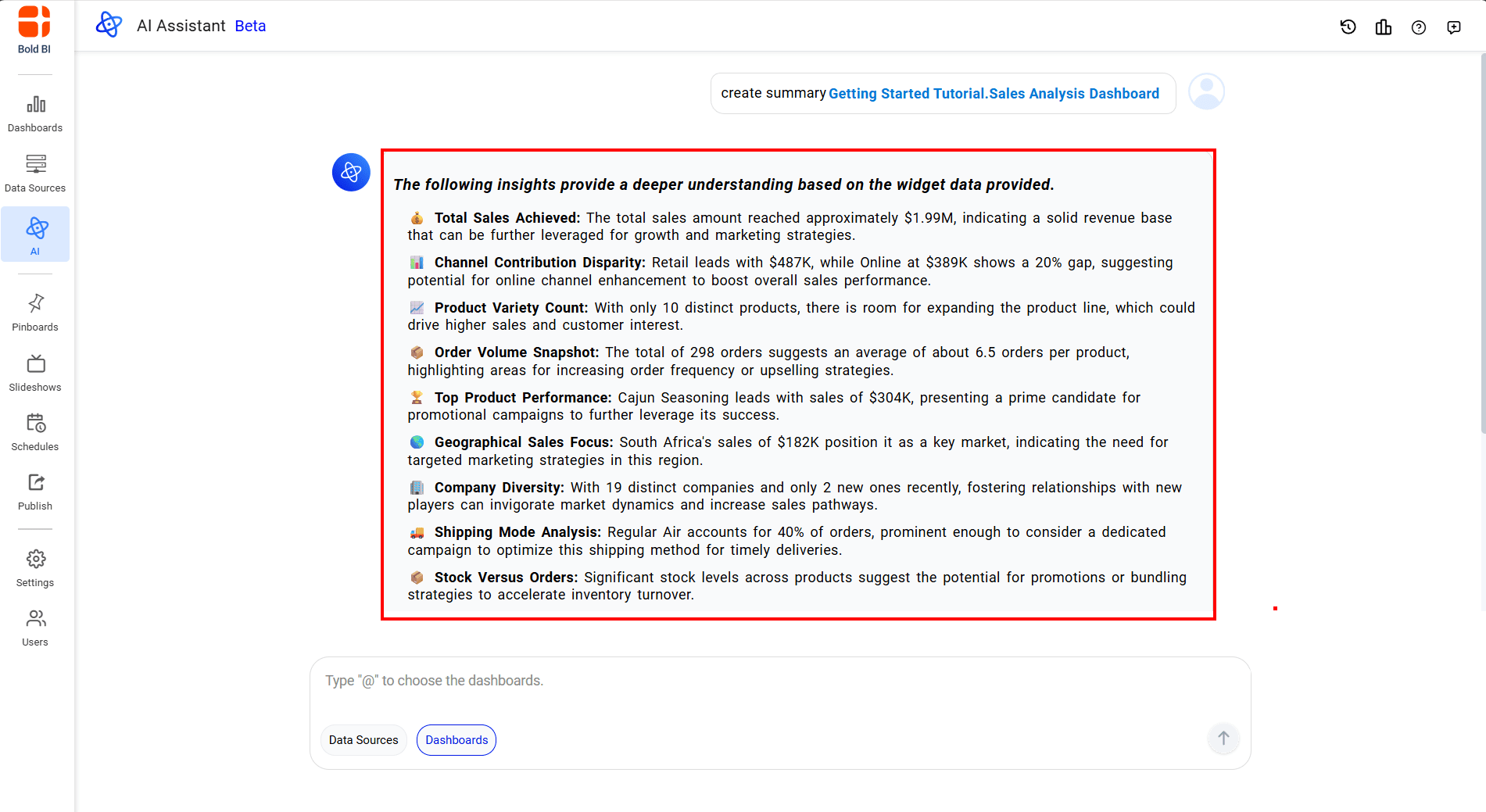
Note: Users can submit queries only for dashboards to which they have access permissions.