
Set Default dashboard
This section explains how to configure a default dashboard that users will see upon logging into the application.
-
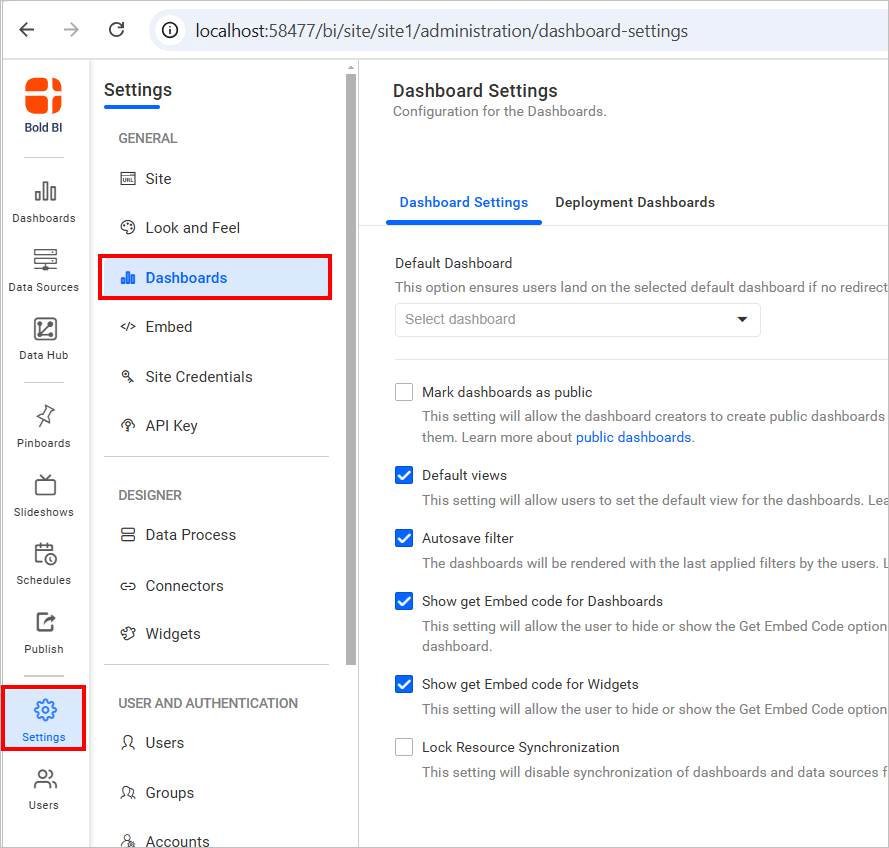
Navigate to the Site Settings page and go to the Dashboard Settings tab.
-
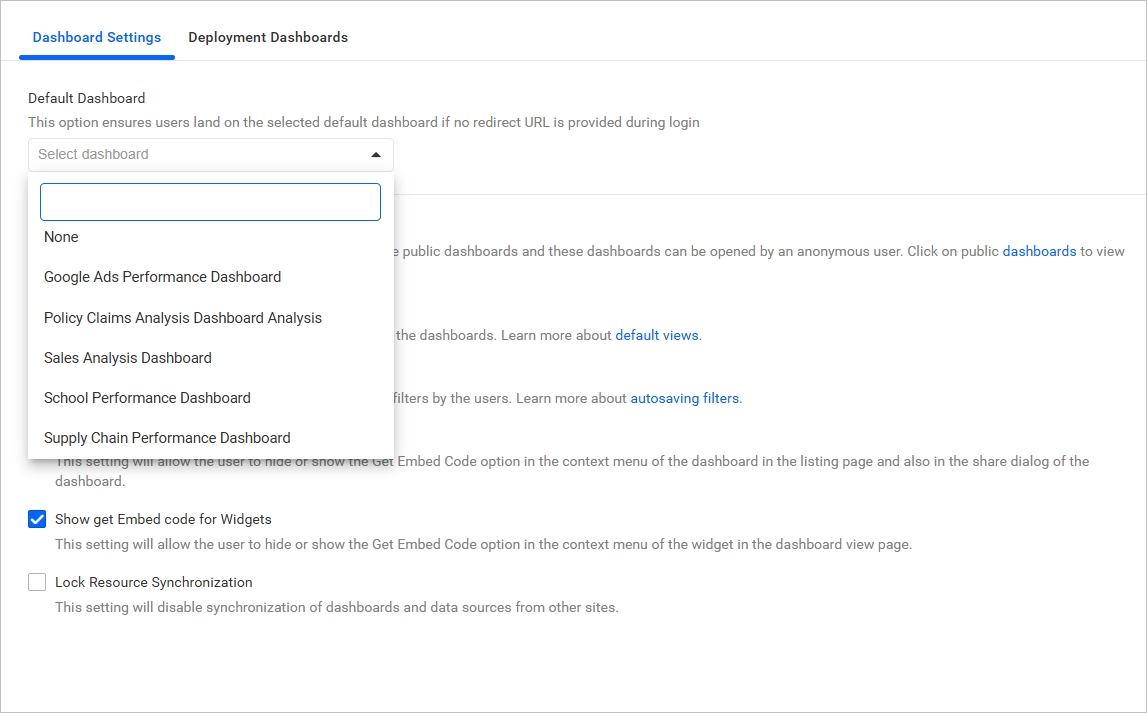
Click the dropdown menu and select the dashboard you want to set as the default and save the settings to apply the changes.
-
Upon the next login, users will be automatically redirected to the selected default dashboard.
Removing the Default Dashboard
If you wish to remove the default dashboard setting:
- Select None from the dropdown.
- Save the settings.
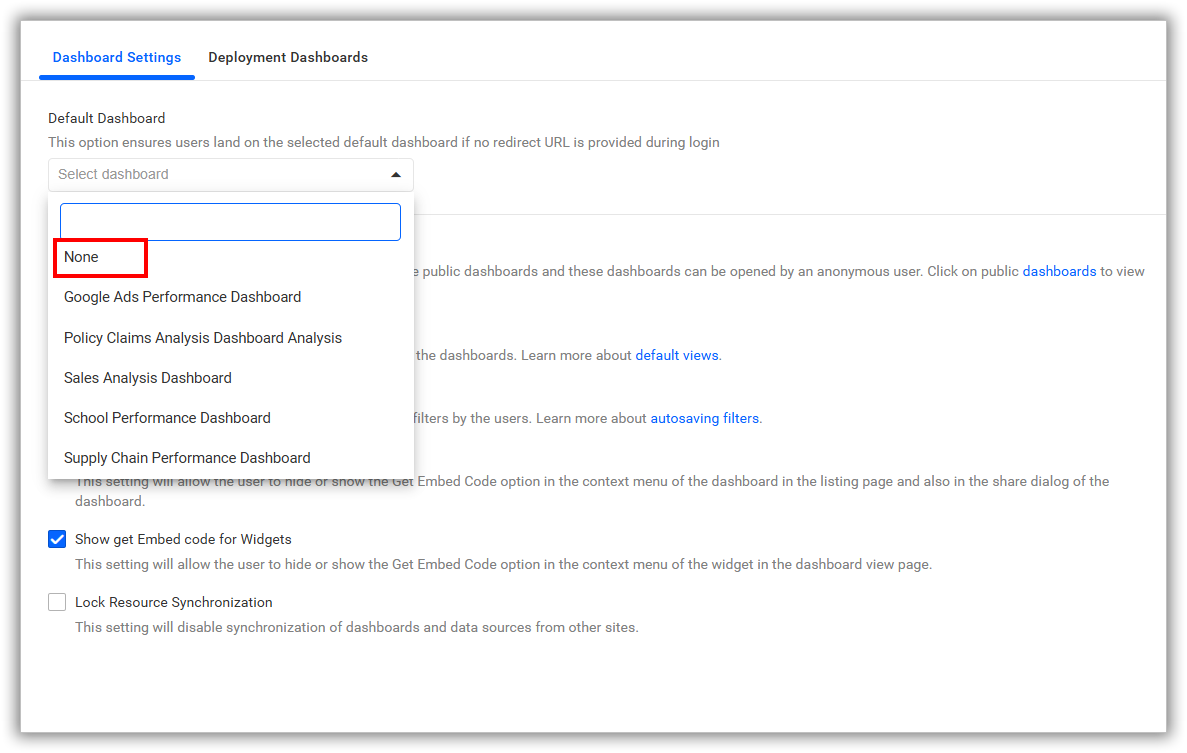
This will prevent automatic redirection to any specific dashboard, allowing users to choose their preferred dashboard after login.