
Oracle
Oracle Database is a relational database management system (RDBMS) from Oracle Corporation. It is designed to efficiently store, retrieve, and manage large amounts of structured data.
Connection Properties
The config section in a YAML file includes the following properties:
Connectorname: Oracle
host: Hostname or IP address of the server
port: Server running port
username: Username
password: Password
database: Database
service_name: servicename
protocol: tcps (when TCPS is enabled)
drivername: oracle+oracledb
Use protocol: tcps when TCPS is enabled for the Oracle connection. Otherwise, omit the protocol property.
Configure the Bold Data Hub to connect Oracle
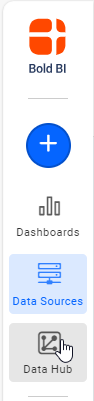
- Click the
Data Hubicon on the Navigation Pane.
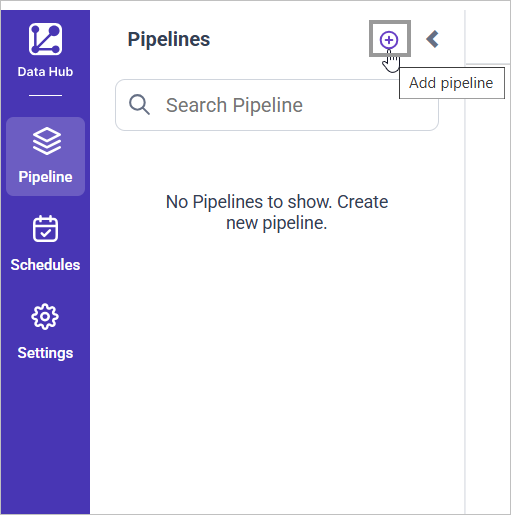
- Click
Add Pipelineand provide the new pipeline’s name.
- Select the newly created pipeline and add the
Oracletemplate.
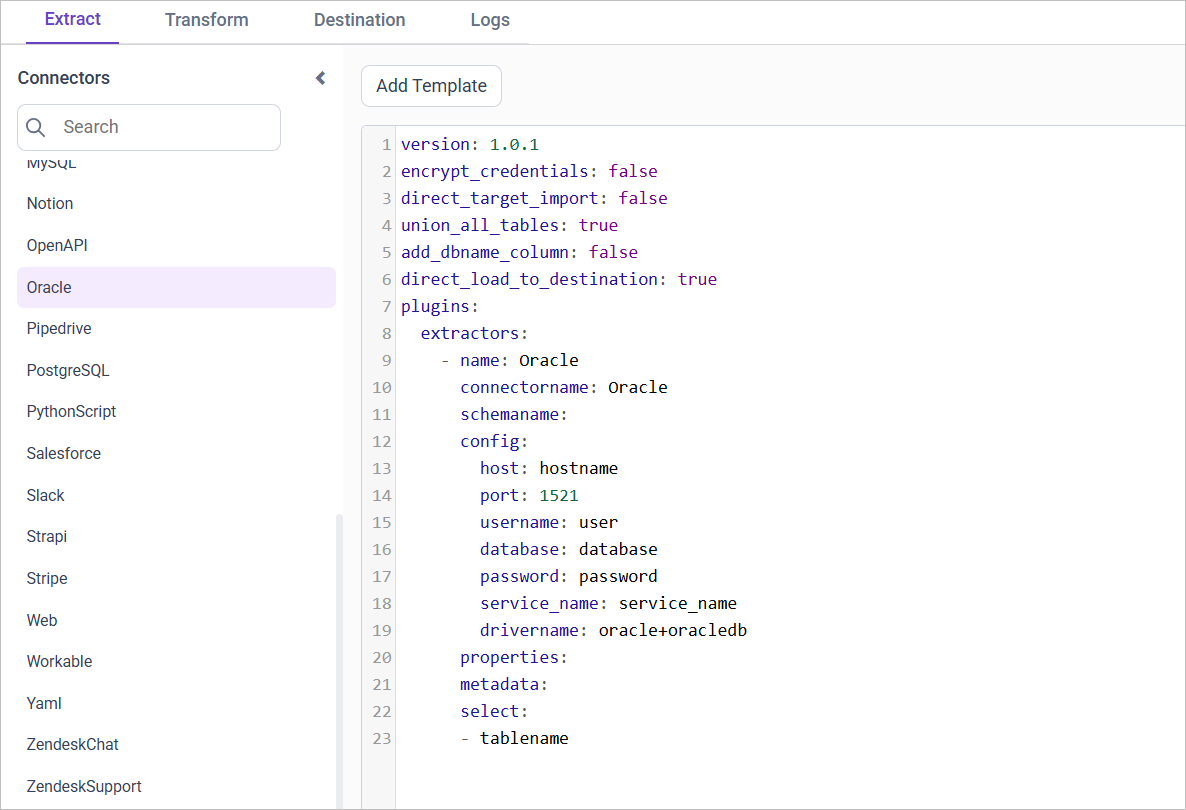
Configuration Parameters
| Parameters | Description |
|---|---|
| Host: | Specify the hostname of the Oracle server. |
| Port: | Specify the port number of the Oracle server (default is 1521). |
| Username: | Provide the username to authenticate with the Oracle server. |
| Password: | Provide the password to authenticate with the Oracle server. |
| Database: (Optional) | Specify the name of the Oracle database from which data will be extracted. |
| Service Name: (Optional) | Specify the Service name of the Oracle server. |
| Protocol: (Optional) | Specify tcps when TCPS is enabled for the Oracle connection. Omit this property for a standard connection. |
| Driver Name: | Specify the driver name for connecting to Oracle (e.g., oracle+oracledb). |
| Select: | Tablename(s): Specify the name list to load tables from the Oracle server. |
| Metadata: (Optional) | Replication Method: Specify the replication method for the table(s). Options include FULL or INCREMENTAL. |
| Replication Key: Specify the replication key for incremental replication. This key helps in identifying new or updated records. | |
| Replication Value: Specify the replication value to start the incremental replication from a particular point. |
- Update the details required in the template and Click Save, choose the desired destination to save the pipeline.
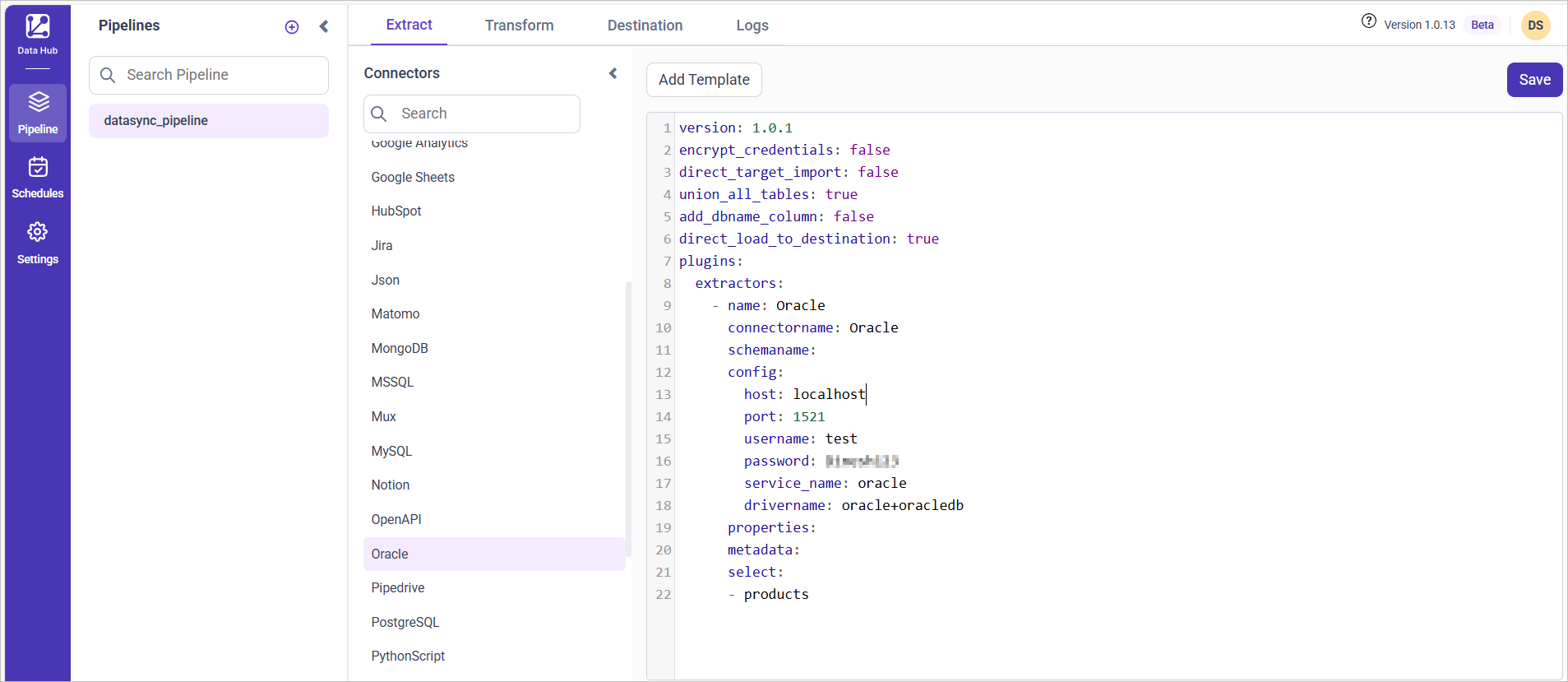
- Creating a Pipeline in Bold Data Hub automatically creates a Data Source in Bold BI. The Bold BI Data Source is a live data source to the destination database used in Bold Data Hub. For more information on the relationship between Bold Data Hub Pipeline and the associated Data Sources in Bold BI , please refer to Relationship between Bold Data Hub Pipeline and Associated Data Sources in Bold BI
Schedule Bold Data Hub Job
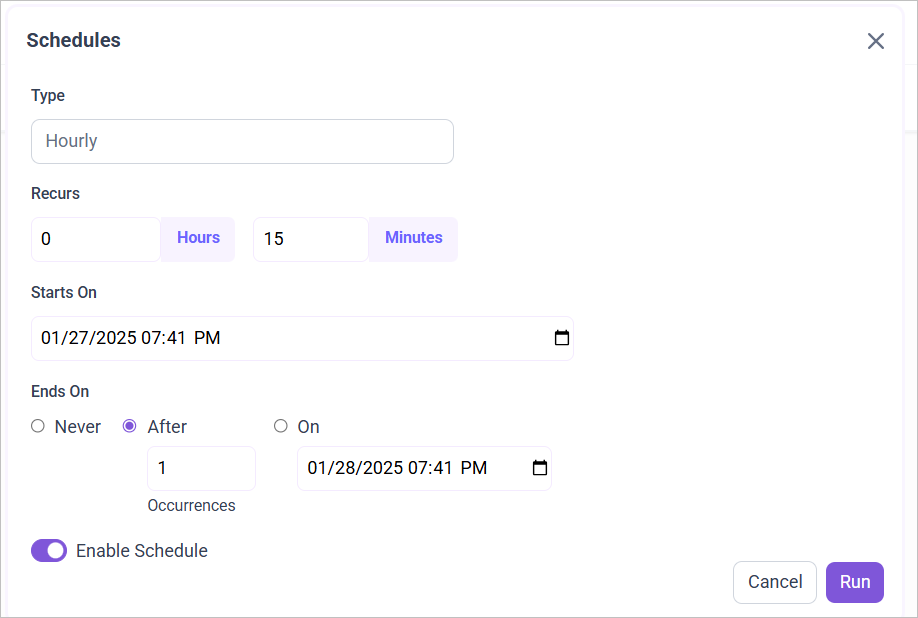
- To configure interval-based scheduling, click on the schedules tab and select the created pipeline and click on the schedule icon and configure it.

- For on-demand refresh, click
Run Nowbutton.
 .
.
- The Schedule history can be checked using the history option as well as logs.
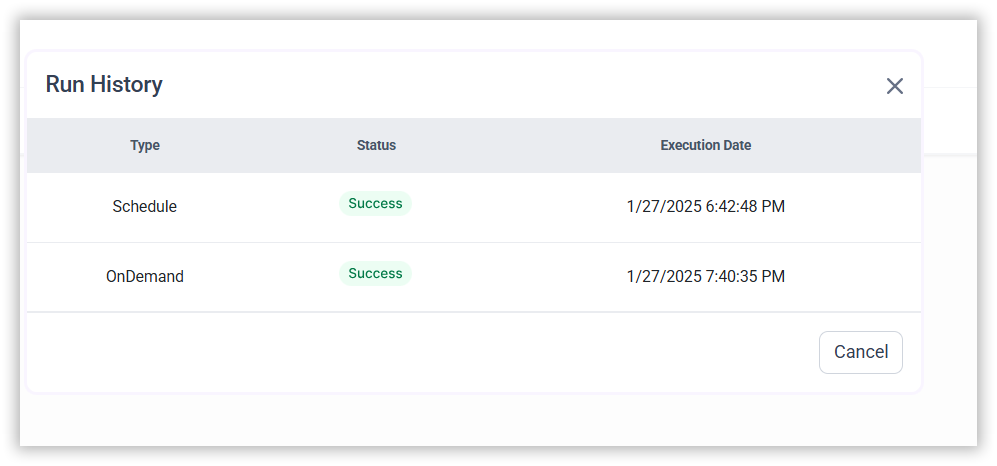
- Click on Logs to see if the run is completed and data source is created in Bold BI.

- Click
Edit DataSourceOption to view the created tables.
Metadata Properties
In the metadata section, define the mode of data refresh. There are two modes: INCREMENTAL and FULL_TABLE. It only supports DateTime datatype columns.
INCREMENTAL
This mode fetches data from the date column mentioned in the replication key from the start date as mentioned in the replication value. Once scheduled, the replication value is updated automatically from the imported data.
metadata:
  TableName:
    replication_method: INCREMENTAL
    replication_key: Column name
    replication_value: column value that data starts from
FULLTABLE
This mode fetches data from the date column specified in the replication key starting from the date specified in the replication value. Once scheduled, the replication value is updated according to the interval_type and interval_value from the imported data. For example, if the interval_type is set to ‘year’ and the interval_value is set to ‘1’, the first schedule will fetch records from January 1, 2000 to December 31, 2000. In the next schedule, it will fetch records from January 1, 2001 to December 31, 2001, and so on.
metadata:
  TableName:
    replication_method: FULL_TABLE
    replication_key: Column name
    replication_value: column value that data starts from
    interval_type: days/hours/minutes/year/month
    interval_value: integer value to add in interval type
Example Configuration
FULLTABLE
version: 1.0.1
encrypt_credentials: false
plugins:
  extractors:
    - name: tap_postgres
      connectorname: Oracle
      config:
        host: Hostname or IP address of the server
        port: Server running port
        username: Username
        password: Password
        database: Database
        service_name: servicename
        drivername: oracle+pyoracle
      select:
        - TABLE1
        - TABLE2
      metadata:
        TABLE1:
          replication_method: FULL_TABLE
          replication_key: last_modified_on
          replication_value: 2023-07-19 00:00:00
          interval_type: days
          interval_value: 6
        TABLE2:
          replication_method: FULL_TABLE
          replication_key: last_modified_on
          replication_value: 2023-07-19 00:00:00
          interval_type: days
          interval_value: 6
INCREMENTAL
version: 1.0.1
encrypt_credentials: true
plugins:
  extractors:
    - name: tap_postgres
      connectorname: Oracle
      config:
        host: Hostname or IP address of the server
        port: Server running port
        username: Username
        password: Password
        database: Database
        service_name: servicename
        drivername: oracle+pyoracle
      select:
        - TABLE1
        - TABLE2
      metadata:
        TABLE1:
          replication_method: INCREMENTAL
          replication_key: last_modified_on
          replication_value: 2023-07-19 00:00:00
        TABLE2:
          replication_method: INCREMENTAL
          replication_key: last_modified_on
          replication_value: 2023-07-19 00:00:00