
Presto
Presto is an open-source distributed SQL query engine designed for fast analytics on large-scale data. It allows users to query data directly from multiple data sources without moving the data into a separate database.
Connection Properties
In a YAML file, the config section contains the following properties:
connectorname: Presto
connection_type: Presto/Trino
auth_type: none/authentication
host: Hostname or IP address of the Presto server
port: Presto server port
username: Username
password: Password
catalog: Catalog name in Presto
http_scheme: HTTP or HTTPS connection protocol
Connect to Presto Without Authentication
Example Configuration
version: 1.0.1
plugins:
  extractors:
    - name: Presto
      connectorname: Presto
      schemaname: public
      config:
        auth_type: none
        host: presto_servername
        port: 8080
        catalog: postgres
        http_scheme: http/https
      properties:
      metadata:
      select:
        - Employees
Connect to Presto With Authentication
Example Configuration
version: 1.0.1
plugins:
  extractors:
    - name: Presto
      connectorname: Presto
      schemaname: public
      config:
        auth_type: authentication
        host: presto_servername
        port: 8080
        username: presto_username
        password: presto_password
        catalog: postgres
        http_scheme: http/https
      properties:
      metadata:
      select:
        - Employees
Configure the Bold Data Hub to connect Presto
- Click the
Data Hubicon on the Navigation Pane.

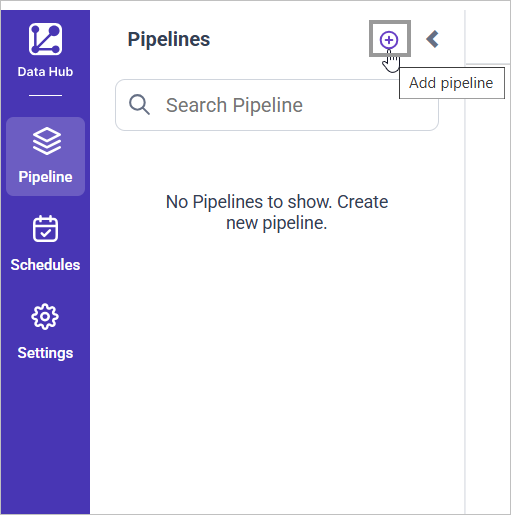
- Click
Add Pipelineand provide the new pipeline’s name.
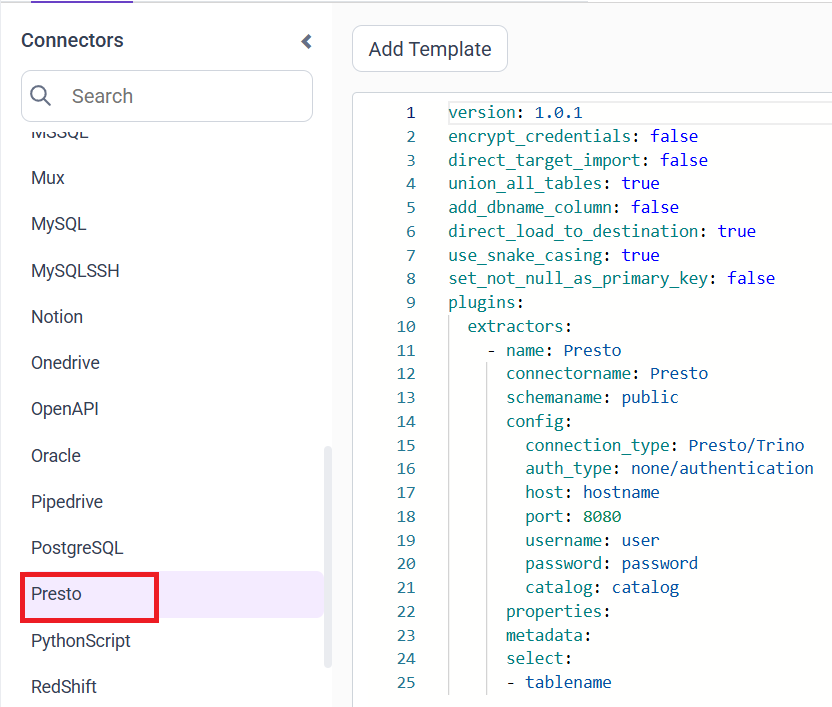
- Select the newly created pipeline and add the
Prestotemplate.
Configuration Parameters
| Parameters | Description |
|---|---|
| Auth Type: | Choose none for unauthenticated connections and authentication for secured Presto clusters. |
| Host: | Specify the hostname of the Presto server. |
| Port: | Specify the port number of the Presto server (default is 8080). |
| Username: | Provide the username to authenticate with the Presto server (required when auth type is authentication) |
| Password: | Provide the password to authenticate with the Presto server (required when auth type is authentication) |
| Catalog: | Specify the catalog configured on the Presto server that defines the data source used for querying. Examples: hive and postgres |
| HTTP Scheme: | Specify the communication protocol used to connect to the Presto server. Choose http for non-SSL connections or https for SSL/TLS-secured connections. |
| Schema Name: | Specify the schema within the selected Presto catalog that contains the tables to be queried. |
| Select: | Tablename(s): Specify the table name list to load tables from the Presto server. |
- Update the details required in the template and Click Save, choose the desired destination to save the pipeline.
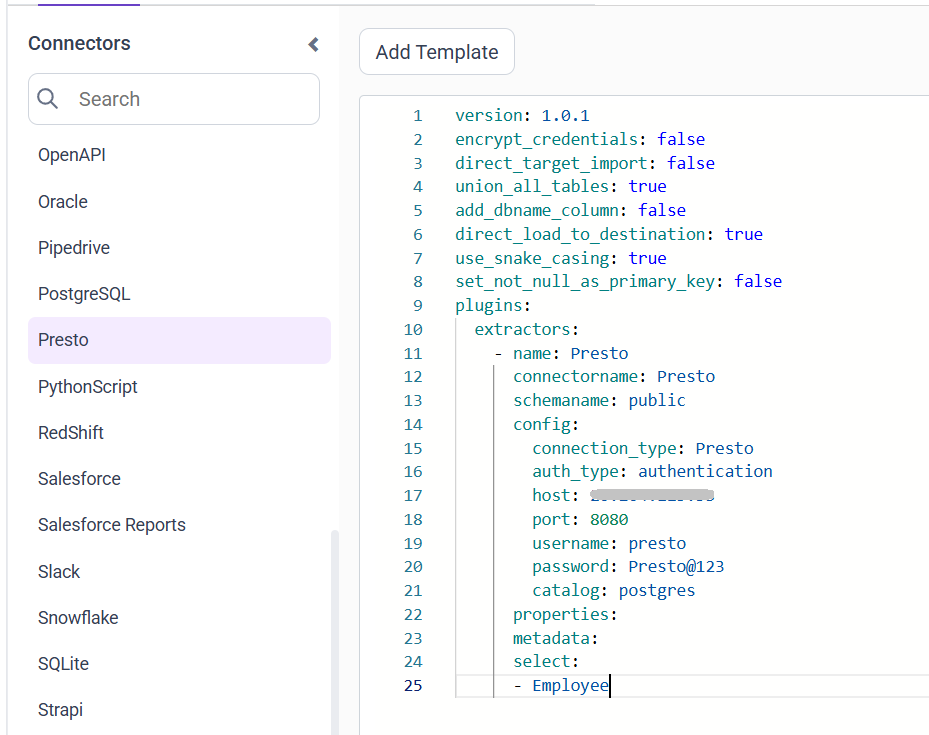
- Creating a Pipeline in Bold Data Hub automatically creates a Data Source in Bold BI. The Bold BI Data Source is a live data source to the destination database used in Bold Data Hub. For more information on the relationship between Bold Data Hub Pipeline and the associated Data Sources in Bold BI , please refer to Relationship between Bold Data Hub Pipeline and Associated Data Sources in Bold BI
Schedule Bold Data Hub Job
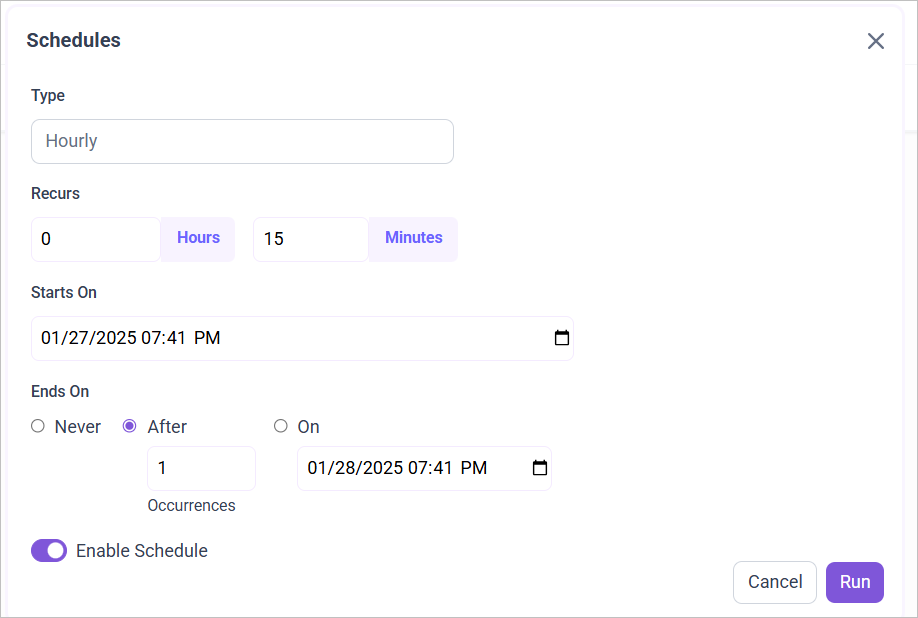
- To configure interval-based scheduling, click on the schedules tab and select the created pipeline and click on the schedule icon and configure it.

- For on-demand refresh, click
Run Nowbutton.
 .
.
- The Schedule history can be checked using the history option as well as logs.
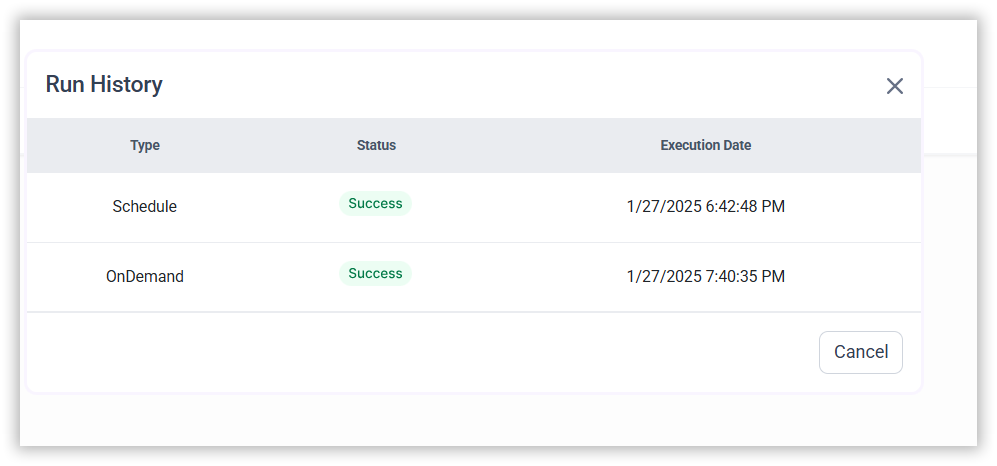
- Click on Logs to see if the run is completed and data source is created in Bold BI.

- Click
Edit DataSourceOption to view the created tables.