
Destination
The Destination page displays the tables available in the destination database. It contains the pipeline tables extracted from the source and the transformed tables created in the Transformation and Preview page. You can preview the data in these tables and change the data type of a column before the next pipeline run.
Prerequisites
The Destination page lists a table only after the pipeline transfers the extracted or transformed data to the destination database. Therefore, you must run the pipeline at least once before you open the Destination tab.
Open the Destination Page
-
Navigate to the Data Hub and select the required pipeline.
-
Click the
Destinationtab next to theExtract,Transform, andLogstabs.
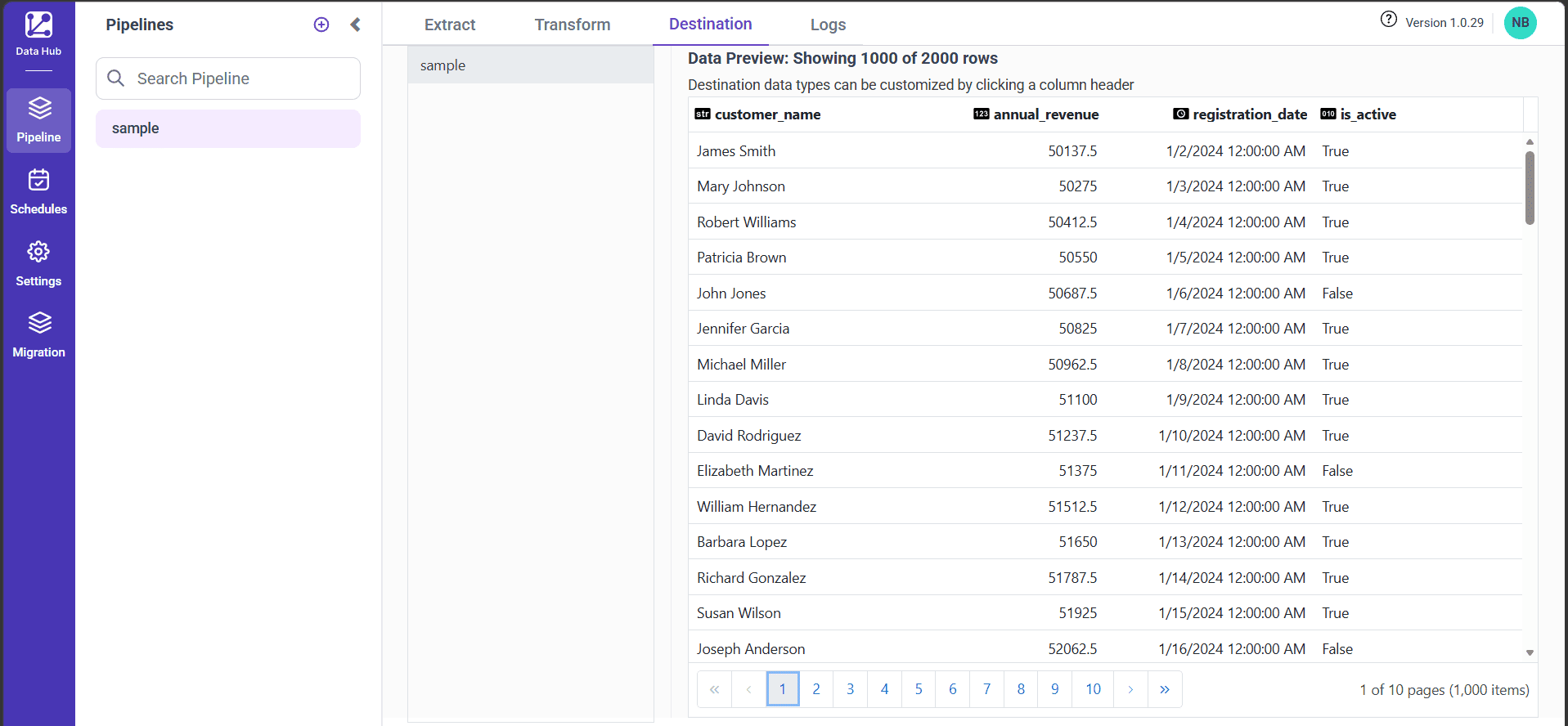
- The left panel lists all the pipeline tables and transformed tables. Click a table to load its data in the preview pane.
Note: The tables appear in the left panel based on the order in which they are processed in the pipeline.
Preview the Table Data
The preview pane displays the data of the selected table along with the following details:
- The total number of rows available in the table. For example,
Data Preview: Showing 1000 of 2000 rowsindicates that the table contains 2000 rows, and the preview displays the first 1000 rows. - The data type of each column, which is displayed as a badge next to the column header.
- The name of each column.
Pagination
A table displays a maximum of 1000 records in the preview, and each page contains 100 records. Use the pagination controls at the bottom of the preview to navigate between the pages. The counter on the right side of the pagination displays the current page along with the total number of pages and records, such as 1 of 10 pages (1,000 items).
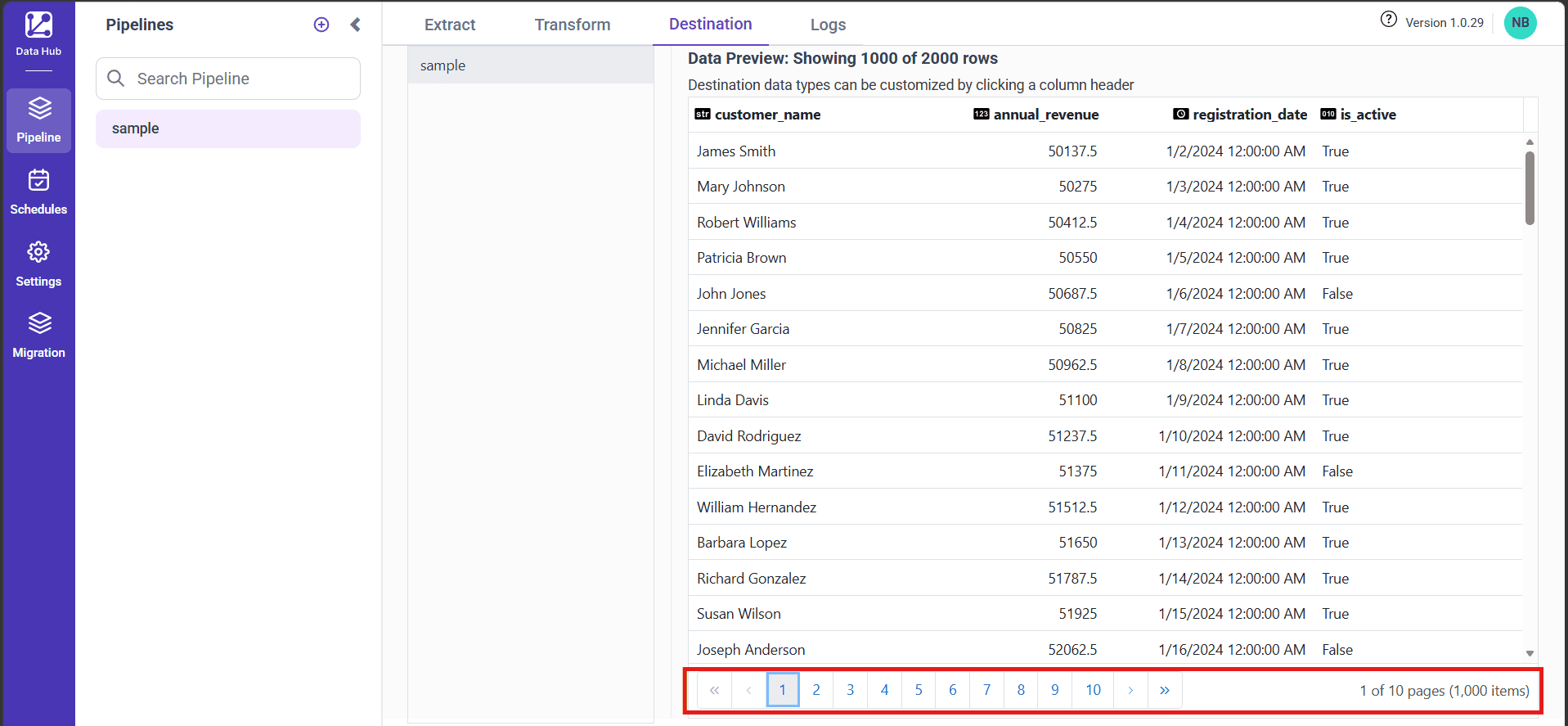
| Pagination control | Action |
|---|---|
| First page | Navigates to the first page of the preview |
| Previous page | Navigates to the previous page of the preview |
| Page number | Navigates to the selected page |
| Next page | Navigates to the next page of the preview |
| Last page | Navigates to the last page of the preview |
Change the Destination Data Type
Bold Data Hub reads each column with the data type inferred from the source. You can override this data type so that the destination table stores the column in the required format.
-
Click the header of the column that you want to modify. The
Edit Destination Data Typepopup opens. -
Review the details in the popup:
| Field | Description |
|---|---|
| Column | Displays the name of the selected column. This value is read-only. |
| Source type | Displays the data type that Bold Data Hub inferred for the column. This value is read-only. |
| Destination type | Displays the data type applied to the column in the destination table. Select a value from this list to change it. |
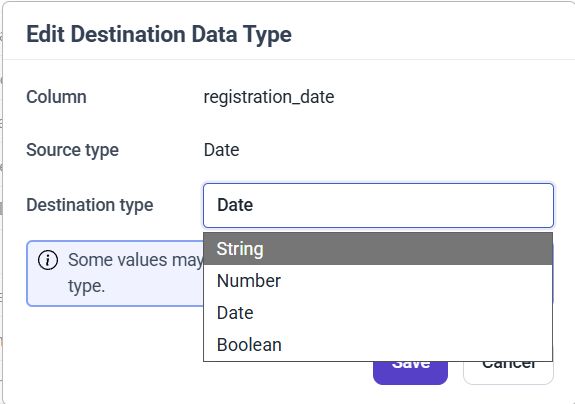
- Select the required data type from the
Destination typelist. The following types are available:
StringNumberDateBoolean
-
Click
Saveto apply the change. -
A confirmation popup appears once the data type change takes effect, and the data type displayed beside the column header in the destination table is updated.
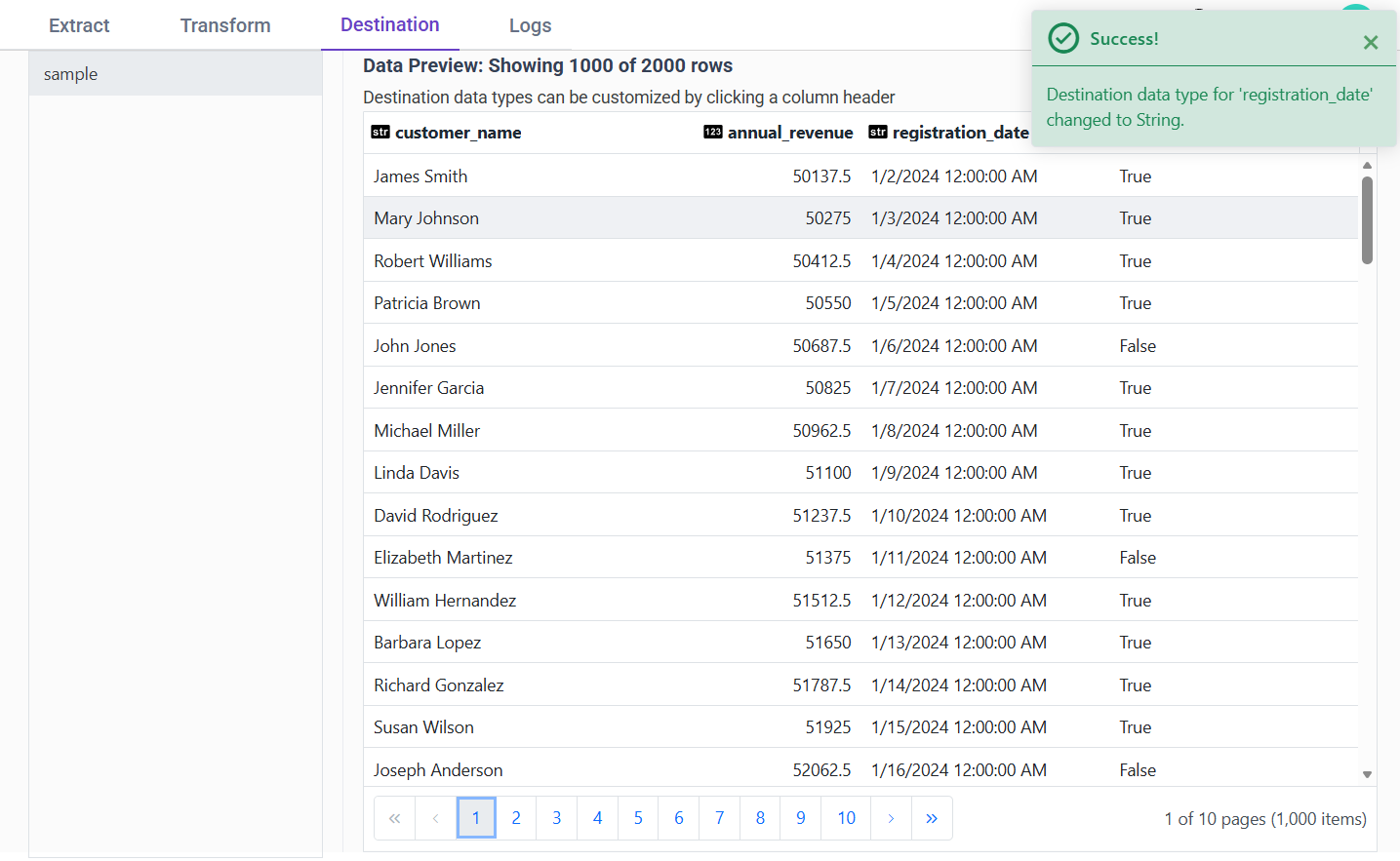
Note: The data type change applies to the table in the destination database. You must run the pipeline again to load the data into the destination table with the updated data type.
Note: Destination data type changes are available only in On-Premises Data Hub deployments. Pipelines created using the Extract Engine do not support destination data type conversion.
IMPORTANT: Some values may fail to convert to the selected destination type. For example, a
Stringcolumn that containsMr.andMrs.values cannot be converted to theNumbertype.
Data Type Change Failure
If the values in a column cannot be converted to the selected destination type, the Edit Destination Data Type popup displays the error message Type change failed., and the existing data type remains unchanged.
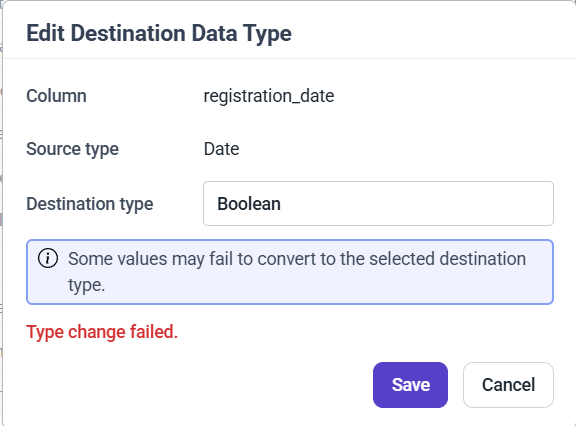
Select a different destination type or click Cancel to close the popup without modifying the column.
Supported Destinations
The destination data type change is supported for the following destinations:
- PostgreSQL
- MySQL
- MSSQL
- Snowflake
- ClickHouse
- Oracle
- Azure Synapse
- Amazon Redshift
- StarRocks
The destination data type change is not supported for the following destinations:
- Apache Doris
- Google BigQuery
- SAP HANA Cloud
- IBMDB2
- Firebolt
- Teradata
- MinIO
Note: The data type change applies only to the tables in the destination database. The pipeline configuration in the
Extracttab remains unchanged.