Manage System Administrator access to the users
This section explains how to add or remove system administrator access for users in the Bold BI Dashboard Server.
Assign System Administrator role
Steps to assign System Administrator role to users
-
To assign the System Administration Role, navigate to the groups listing page by signing in with the site admin credentials.
-
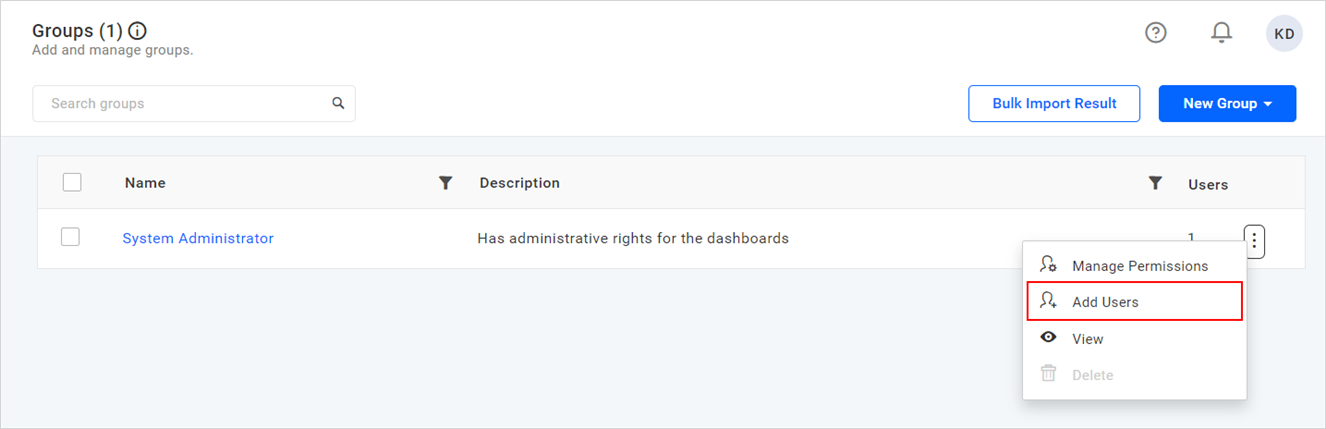
Click on the context menu of the
System Administratorgroup and selectAdd users.
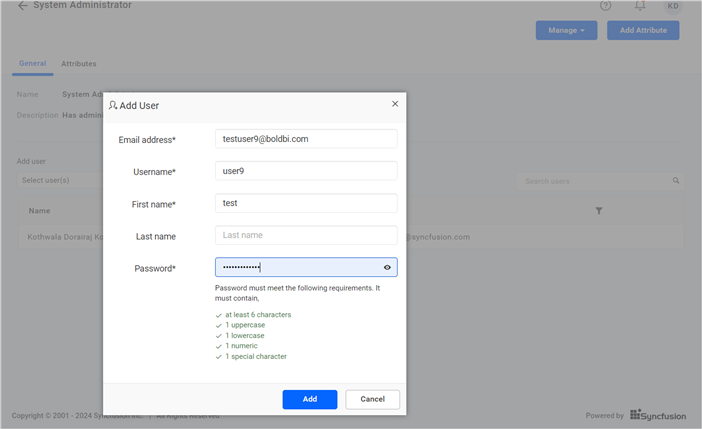
- To add new users, fill in the respective user details in the add user dialog and choose
Addafter filling in the details. This will add the user to both the site and the respective group.
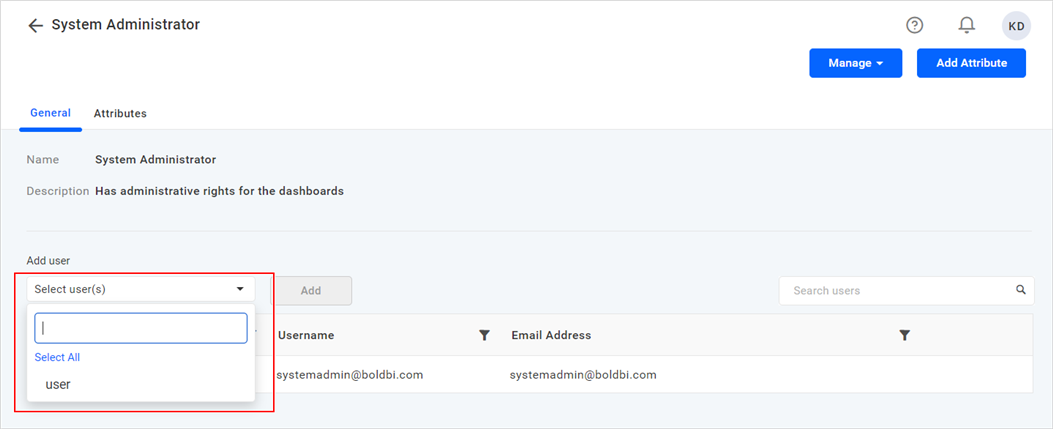
- Include users who are already present on the respective site by selecting them from the
Add userdropdown list.
To know more about assigning users to a group from the user listing page, please refer to this link.
NOTE: Assigning a user to the System Administrator role in Bold BI Dashboard Server grants full access to resources and administrative privileges, enabling them to manage users, configure settings, and ensure application security effectively for the respective site. This role allows individuals to control everything within a particular site.
Remove System Administrator Role
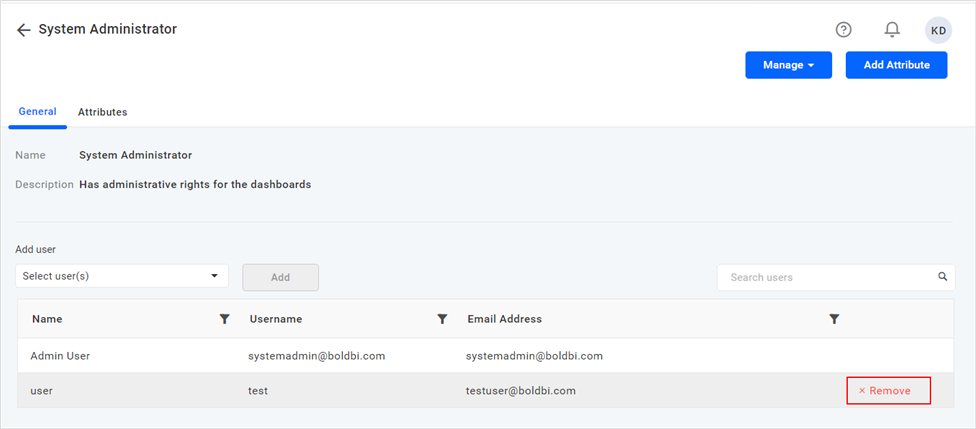
Hover over the relevant user on the group view page and click the remove option to remove the System Administrator Role.